Kindle Scribe Colorsoft Review: Is Color Worth Half the Sharpness?
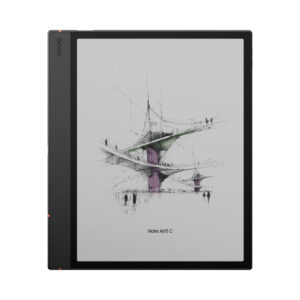
Text on the Kindle Scribe Colorsoft sits at 300 ppi, like any current Kindle, and the color layer at 150 ppi, according to TechRadar's spec table. That split defines the device. It is the third generation of Amazon's 11-inch writing Kindle, launched on December 10, 2025 next to a black-and-white Kindle Scribe with the same front light and pen, and it competes with the reMarkable Paper Pro and color E Ink notebooks such as the BOOX Note Air5 C.
Nobody here has used one, and while Engadget, Tom's Guide, TechRadar and Android Authority all reviewed it, none has published lab measurements of its light, color or battery, so the figures below are Amazon's as those reviewers report them.
Affiliate disclosure: the price links on this page may earn us a commission at no extra cost to you. Retailers cannot pay for placement or influence the score. How we stay independent
Quick verdict
6.8/10
Editorial ratingFairWeighted average of 4 rated sections.
Buy the Colorsoft if colored highlights, colored notes and illustrated books are part of your daily reading, because no other Kindle shows them on an 11-inch page. If you write mostly in black, the monochrome Scribe gives you the same pen and screen size for noticeably less.
Strengths
Brighter, more saturated color than the reMarkable Paper Pro side by side, in Engadget's comparison
Pen needs no charging and erases with its top end
Dark mode and Smart Shapes arrived in an April 2026 update
Weaknesses
Color resolves at half the density of text
Notes in books go into boxes or margins, never on the word itself
11-inch Colorsoft E Ink, 300 ppi black and white, 150 ppi color, Standard and Vivid color modes
Front light
36 white and 34 amber LEDs, auto-adjusting, adjustable warmth
Pen
Premium Pen included, no charging, eraser top, shortcut button, magnetic attachment
Screen response
14 ms (12 ms on the monochrome Scribe, 20 to 21 ms on the previous Scribe), per Engadget
Battery
Up to 8 weeks reading (30 minutes a day, brightness 13) or 2 weeks writing (Amazon). USB-C
Formats
AZW3, AZW, TXT, PDF, unprotected MOBI, PRC natively. EPUB, DOCX, DOC, HTML, RTF and images by conversion
Cloud
Import from Google Drive and Microsoft OneDrive, export notebooks to OneNote
Size and weight
189 x 245 x 5.4 mm, 400 g
Water resistance
None
Connectivity
Wi-Fi, Bluetooth
Warranty
1 year parts (Best Buy listing)
How we reviewed it
Basis
Research-based: assessed from the manufacturer’s published specifications, documentation and the independent sources listed at the end. We have not tested this unit ourselves; any measurement quoted belongs to the cited source.
Method
The display section rests on TechRadar's specification table and comics reading, Tom's Guide's notes on the two color modes, Android Authority's account of ghosting, and Engadget's side-by-side look at the reMarkable Paper Pro. For writing, Engadget supplied the screen response figures, the pen details and the notebook search results, while Tom's Guide and TechRadar described annotation in books and comics. Format support comes from TechRadar, cloud import and export from Best Buy's listing, and the April 2026 dark mode and Smart Shapes update from Engadget's report. The battery section tests Amazon's rating against TechRadar's month of reading and Engadget's early drain.
Evidence
Four publications used the device for between several days and a month. Their observations are reported as theirs, and Amazon's ratings are labeled as ratings.
Limitations
No one has published measurements of brightness, color gamut, contrast or battery runtime for this model. Engadget's review was written in the first days after launch and withheld a score pending battery testing. The color and sharpness comparisons with the reMarkable Paper Pro are visual judgments by reviewers, not measurements.
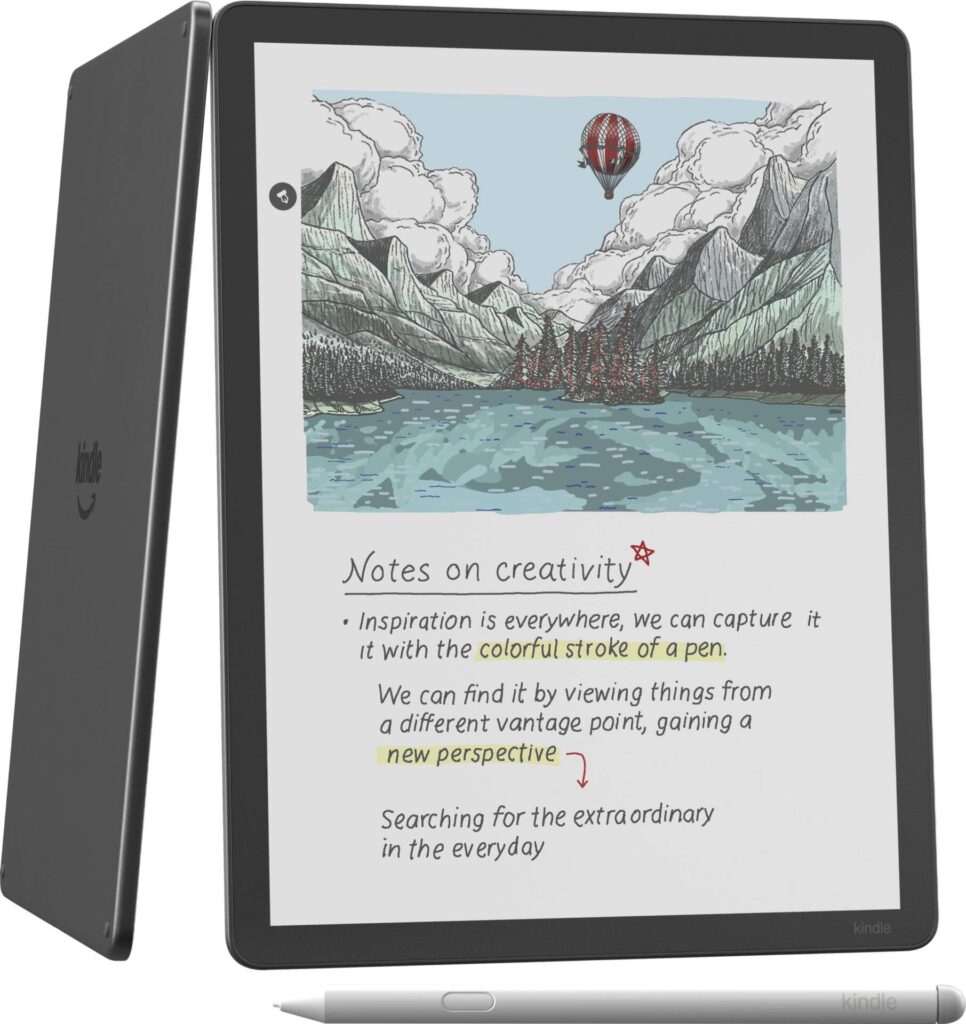
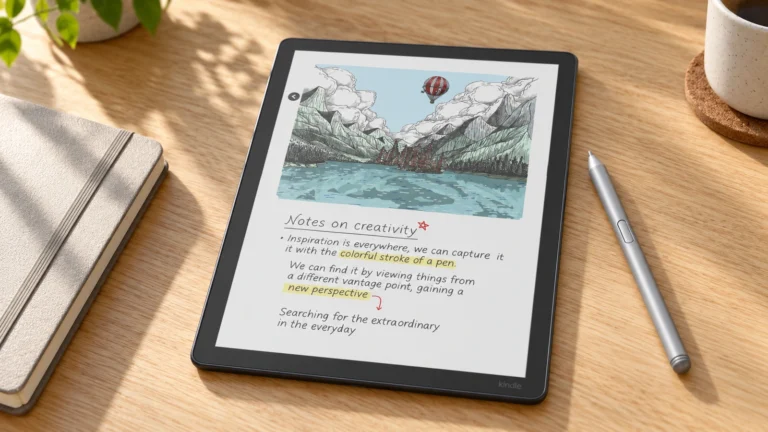
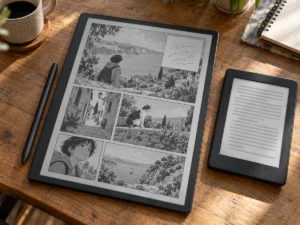
The top of the Scribe Colorsoft's screen from Amazon's product image in Best Buy's gallery, cropped and enlarged. The illustration is Amazon's sample screen content. Amazon product imagery (Best Buy gallery)
Android Authority describes a panel that keeps black-and-white text sharp and lays color over it, and the colors are soft by design. It found them most useful on covers, highlights and diagrams, with occasional, minor ghosting when color refreshes. TechRadar saw the pinks and yellows of a graphic novel come out muted even in Vivid mode, and Tom's Guide switched between Standard and Vivid page by page, finding Standard sometimes easier for text and small images.
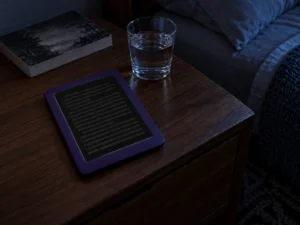
Next to the reMarkable Paper Pro, Engadget found the Kindle brighter, with more saturated colors and more hues, and a color highlight that appears at once instead of flashing while it settles. In a dark bedroom the auto-adjusting light made the Colorsoft easier to read than the previous Scribe, with a slight blue tinge that the warmth setting takes away. TechRadar counts 36 white and 34 amber LEDs behind that light.
An update announced on April 28, 2026 added the dark mode that was missing at launch, and it can be set menu by menu, so the library can be dark while a notebook stays light.
Writing, and where the pen stops
6.5/10Fair
The Premium Pen needs no charging, erases with its top end and has a shortcut button. Engadget found the button limited to switching tools such as the highlighter, pen, shader or eraser, and noticed a stronger magnet holding the pen to the side, though there is still no slot for it. The same review gives the Colorsoft's screen response as 14 ms, against 12 ms for the new monochrome Scribe and 20 to 21 ms for the previous generation, which fits its report of smoother writing. Tom's Guide counts ten ink colors, two of them black and gray.
Every reviewer criticizes how notes land in books. Writing on a book or PDF goes through Active Canvas, which puts your note in its own box and reflows the text around it, or into a margin that folds away. Tom's Guide could not mark a single word or slip in punctuation while editing, and TechRadar could not annotate comics or manga at all, the pages where the color would help most. On a reMarkable, ink stays exactly where you write it.
Handwriting recognition read most of Tom's Guide's scrawl, Engadget's AI questions about its notebooks ranged from accurate answers to checkmarks misread as dashes, and the April 2026 update added Smart Shapes, which snap rough lines, arrows and boxes into clean ones. Files come in from Google Drive and Microsoft OneDrive for markup, and notebooks export to OneNote, according to Best Buy's listing.
A Kindle first, with Kindle walls
6.0/10Fair
Kindle formats open natively along with TXT, PDF and unprotected MOBI, and EPUB, Word files and images arrive through Amazon's conversion, per TechRadar's specification table. That makes it the big-screen choice for anyone with a Kindle library, a strength Engadget weighs against the reMarkable's better writing software.
Tom's Guide found the home screen full of ads for books and other things to buy on Amazon, and the Scribe has no waterproofing, so it stays away from the bath and the beach. Android Authority warns that the closed Kindle system rules it out for anyone who wants flexible file management or apps, which is the reader an Android tablet such as the BOOX Note Air5 C is built for.
Battery: weeks of half-hours
7.0/10Good
Amazon's battery rating is up to eight weeks of reading or two weeks of writing. TechRadar points out that the reading figure assumes 30 minutes a day at brightness 13, which adds up to 28 hours. Read for two hours a night and that is two weeks. TechRadar read about an hour a day and reached for the charger toward the end of the month, which fits the same arithmetic.
Engadget lost about a fifth of the charge in two days of heavy testing, and still expected Amazon's figure to hold for lighter use, going by how its older Scribe behaved. Charging from empty is slow by TechRadar's account, slow enough that the Kindle may look dead for a while, so it is better not to run it flat. It charges over USB-C.
Alternatives worth considering
BOOX Note Air5 C
The BOOX Note Air5 C runs Android with the Google Play Store and comes with a stylus and a magnetic case, so Kindle, Kobo and library apps sit side by side. Engadget warns it is not the most beginner-friendly device.
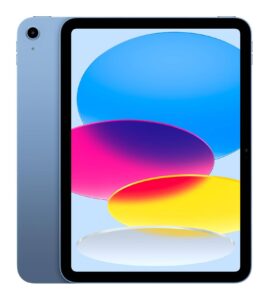
An iPad with a stylus, the comparison Tom's Guide keeps returning to, does much more for similar money, with an LCD instead of E Ink and the notifications that come with it.
We have no current, in-stock price for the Amazon Kindle Scribe Colorsoft (2025), 64 GB, Graphite (Amazon ASIN B0FC1VJJFP) from the retailers we track. The links below go to the listings we last saw; the price shown there may have changed.
No retailer listing is on record for this exact model at the moment.
Prices and availability come from retailer feeds and change without notice; the retailer’s page is authoritative. We may earn a commission if you buy through these links.
Scores run from 1.0 to 10.0: 9+ exceptional, 8–8.9 excellent, 7–7.9 good, 6–6.9 fair, 5–5.9 mediocre, below 5 poor. The overall score is the weighted average of the rated sections. Unrated sections do not count.
Pros
Brighter, more saturated color than the reMarkable Paper Pro side by side, in Engadget's comparison
Pen needs no charging and erases with its top end
Dark mode and Smart Shapes arrived in an April 2026 update
Opens your Kindle library on an 11-inch page
Cons
Color resolves at half the density of text
Notes in books go into boxes or margins, never on the word itself
No annotation on comics or manga
Home screen carries ads for things to buy on Amazon
No water resistance
Slow to come back from a fully drained battery
Conclusion
Reviewers agree the Scribe Colorsoft is the best big Kindle so far, and that its color is softer and coarser than its text. Amazon sells the same 11-inch body, pen and front light in black and white, with a slightly faster panel, for noticeably less, so color has to earn its premium every day.
It earns it for a reader who highlights in color, studies illustrated books and keeps everything in a Kindle library. It does not for anyone who annotates PDFs closely or wants to write on comics. The Scribe line also sat out Amazon's August price rise, so any sale price on it is a real cut.
Andreea-Viviana Jitaru’s take
The monochrome Scribe has the same pen and front light with a faster panel, and for someone who writes in black ink that is the better buy. I would pay for the Colorsoft only if colored highlights and illustrated books were part of every day, and I would still keep a [reMarkable Paper Pro](https://readerpilot.com/remarkable-paper-pro-review) in mind for close PDF markup, where ink stays where you put it.
Best for
Kindle owners who highlight and take notes in color every day
Illustrated nonfiction, textbooks with diagrams, cookbooks
Consider an alternative if
You edit PDFs word by word
Comics are the reason you want color and you also want to write on them
Andreea edits the written side of the site: the editor's note on each product page, the category buying guides and the blog. Her brief is to say what a specification table cannot: where a product is good, where it quietly compromises, and who should walk past it. A note that reads like marketing copy, or that praises a product without naming a drawback, does not go live.
This is a research-based assessment: the reviewer compiled it from published specifications, documentation and independent measurements rather than from testing the unit.
We keep cookies to a minimum. Without your consent, this site sets only the ones it needs to work: remembering your answer here and keeping the site secure. If you allow functional cookies, two optional features can use them: Google sign-in for posting a review, and remembering embedded videos you choose to always show. We run no advertising cookies, and we measure traffic without cookies at all. Cookie policy
Customise consent preferences
Each category below lists the exact cookies behind it, what they do and how long they last. Strictly necessary cookies cannot be switched off because the site would stop working without them. Anything else is yours to decline.
NecessaryAlways active
Strictly necessary cookies keep the site working and secure: they remember your choice here, help the security layer stop attacks and keep site accounts signed in to the admin area. The site cannot run without them.
Show the cookies in this category (8)
cmp_consent
ReaderPilot · 1 year
Remembers your consent choice for each cookie category, so the banner does not ask again on every page.
cmp_visitor
ReaderPilot · Session (until you close the browser)
Marks your browser as a real visitor, so a comparison page is built when someone actually opens one rather than when a crawler passes through. It holds the value 1 and nothing else: no identifier, no history.
wp-settings-(id), wp-settings-time-(id)
WordPress · 1 year
Remembers layout preferences inside the WordPress admin screens. Set only for accounts that sign in to run the site, never for ordinary visitors.
WordPress · Session, or 14 days if “Remember me” is ticked
Keeps a site account signed in to the WordPress admin, and checks that the browser accepts cookies at login. Set only for accounts that sign in to run the site, never for ordinary visitors.
wfwaf-authcookie-(hash)
Wordfence (Defiant, Inc.) · 12 hours
Lets the Wordfence firewall check a signed-in user’s access level before WordPress loads, so administrators are not blocked by firewall rules. Set only when you log in to the site.
wf_loginalerted_(hash)
Wordfence (Defiant, Inc.) · Persistent
Records that the administrator has already been alerted about a sign-in from this device. Only used if login alerts are enabled, and set only when you log in to the site.
wfCBLBypass
Wordfence (Defiant, Inc.) · Only if enabled
Allows a visitor who knows a hidden bypass address to pass country blocking. It is only used if country blocking is enabled, and we do not currently use it.
wfls-remembered-(hash)
Wordfence (Defiant, Inc.) · Up to 30 days
Remembers a trusted browser for two-factor login when a signed-in user chooses “remember this device”. Set only for site accounts that use two-factor authentication.
Functional
Functional cookies are set only when you use a feature that needs them: signing in with Google to post a review, or ticking “Always display content from …” on an embedded video or post. Decline and the rest of the site works exactly as before: Google sign-in stays off, and embedded videos still load one at a time when you click them.
Show the cookies in this category (2)
g_state (and Google’s own sign-in cookies)
Google · Set by Google
Set only if you use the Google sign-in button to post a review. It remembers the state of that prompt so it is not shown again. Governed by Google’s own policy.
embed-privacy
ReaderPilot · 1 year
Remembers the providers whose embedded content you chose to always display (for example YouTube), so their videos and posts load without a click. Set only when you tick “Always display content from …”, a box that appears only once functional cookies are allowed.
Set by other sites
These are set by another company, not by this site: a retailer, after you click through to its website, or a video or social-media provider, after you click to load its content here. That company’s own policy governs them, not this banner.
Show the cookies in this category (2)
Embedded video and social-media cookies
YouTube, Vimeo, TikTok, Instagram, Spotify, X, Reddit · Set by the provider
Articles can embed a video or post. Nothing loads from the provider until you click its placeholder; when you do, the provider may set or read its own cookies under its own policy. YouTube videos load in YouTube’s privacy-enhanced mode (youtube-nocookie.com).
Retailer / affiliate cookies
Amazon & affiliate networks · Set by the retailer
Set on the retailer’s own website after you click a “View deal” link, to attribute a purchase. We do not set or read these.