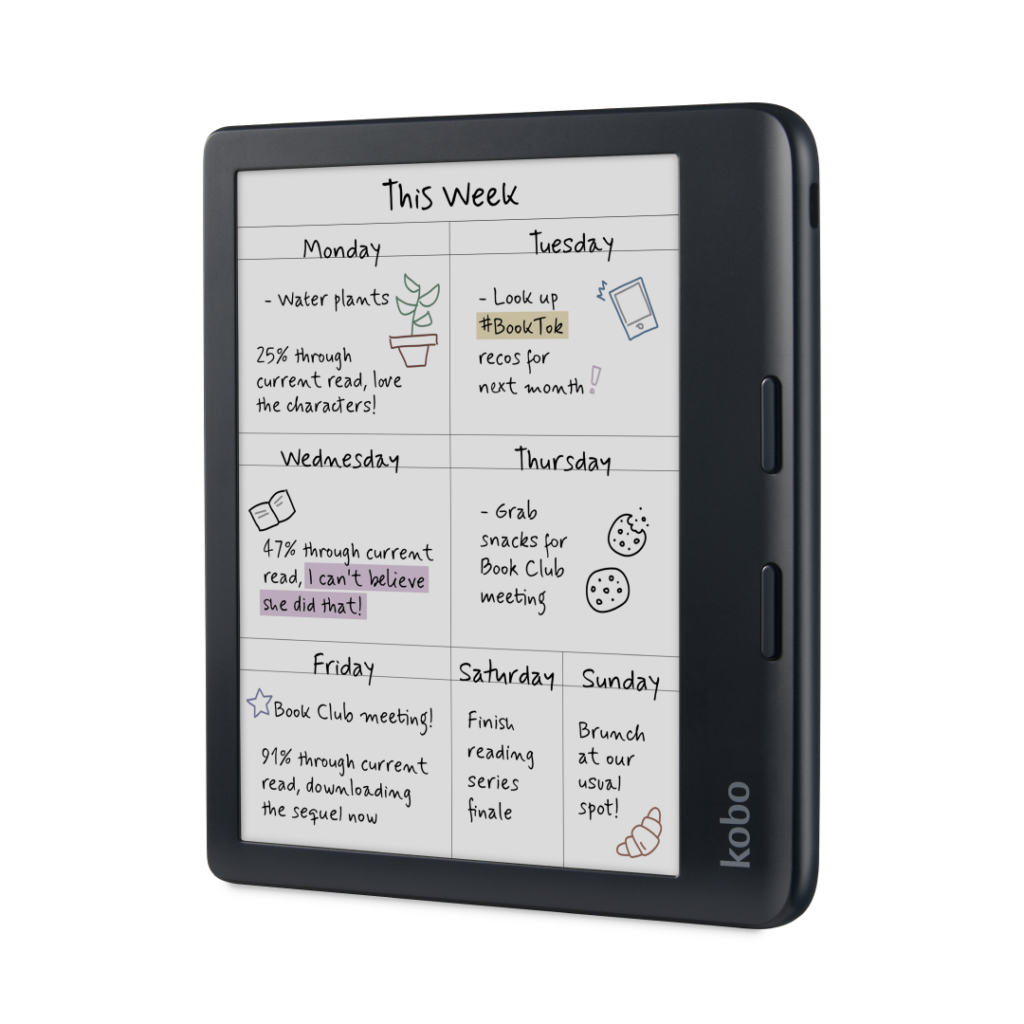
Kobo Libra Colour: Specs, Price, Pros & Cons
Kobo publishes two resolutions for the Libra Colour, and the second one explains the entire device. Black text renders at 300 ppi. Anything colored renders at 150. The Kaleido 3 layer that adds color sits over the e-ink like a filter, and it costs half the sharpness the moment a pixel stops being gray. Book covers, highlights and chart lines come out muted and slightly soft, which is fine once you know what they are for.
Understanding that in advance saves a disappointment. Color here is for annotation and orientation: color-code your highlights and you can pick out one group of them later. Comics and illustrated editions are another matter, and anyone who wants a tablet for graphic novels will not find one here.
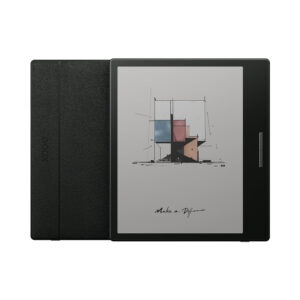
The rest is the most complete reader Kobo sells below its note-taking tablets. The body is asymmetric, with a raised grip and two physical page-turn buttons, which after a few hours makes tap-only readers feel like a step backwards. It takes the Kobo Stylus 2 for margin notes and notebooks, although the pen is a separate purchase. It is IPX8 rated, charges over USB-C, and Kobo has designed it to be repairable, an unusual commitment in a category built on sealed plastic.
Where it earns its price is openness. Fifteen file formats open natively, EPUB among them, and library borrowing through OverDrive and Libby lives inside the reading interface. Notebooks sync to Dropbox and Google Drive. There are no speakers, so audiobooks need Bluetooth headphones, and the color filter makes the screen a little dimmer than a plain black-and-white panel. Those two things are what you weigh.
Category strengths
Where the Kobo Libra Colour beats the median
- Has color display ?
- Has waterproof ?
- A bigger screen ?7" (17.78 cm) vs 6.13" (15.57 cm) (median)
- Has stylus support ?
- Slightly higher resolution ?1,680 px vs 1,648 px (median)
Where the Kobo Libra Colour trails the median
- A heavier build ?199.5 g vs 174 g (median)
- A thicker body ?8.3 mm vs 7.2 mm (median)
- A slightly lower battery life (weeks) ?5.7 weeks vs 6 weeks (median)
How this VS Score was computed
Score 58: each known spec is measured against the median of all e-readers (14 products), then weighted. 49% of the scoreable weight could be used. See how we score
| Specification | This product | Cohort median | Score weight | Points moved |
|---|---|---|---|---|
| Waterproof | Yes | 50% of the class have it | 1 | +50.0 |
| Color display | Yes | 43% of the class have it | 0.5 | +25.0 |
| Page-turn buttons | Yes | 57% of the class have it | 0.5 | +25.0 |
| Stylus support | Yes | 50% of the class have it | 0.25 | +12.5 |
| Weight | 199.5 | 174 | 2 | −12.0 |
| Cellular | No | 21% of the class have it | 0.2 | −9.6 |
| Speakers | No | 33% of the class have it | 0.2 | −9.6 |
| Screen size | 7 | 6.13 | 1 | +7.0 |
| Thickness | 8.3 | 7.2 | 0.5 | −3.5 |
| Battery life (weeks) | 5.7 | 6 | 1.5 | −3.0 |
| Pixel density | 300 | 300 | 2 | +0.0 |
| Internal storage | 32 | 32 | 0.5 | +0.0 |
Not scored: Resolution (one resolution dimension is not a sharpness measure; pixel density is scored instead); Front light (standard for the class (100% have it)); Adjustable warm light (standard for the class (86% have it)); Auto-brightness (unknown: not scored); Flush screen (unknown: not scored); Dark mode (standard for the class (100% have it)); Touchscreen (standard for the class (100% have it)); EPUB support (standard for the class (86% have it)); Audiobook support (standard for the class (100% have it)); Text-to-speech (unknown: not scored); Library lending (standard for the class (100% have it)); Cloud sync (standard for the class (100% have it)); App store (unknown: not scored); Expandable storage (microSD) (unknown: not scored); RAM (unknown: not scored); Battery capacity (capacity is a proxy; the rated battery life is scored instead); Charge time (unknown: not scored); USB-C (standard for the class (100% have it)); Wireless charging (unknown: not scored); Bluetooth (standard for the class (100% have it)); 3.5mm headphone jack (not applicable: only 0% of this class have it).
Editor’s note
I would buy this one for the buttons and the openness, and treat color as a bonus that occasionally justifies itself.
The page-turn buttons are the thing nobody puts on a comparison table and everybody notices. Reading one-handed, inside a cover, in bed, in gloves: each of those is better with a button than with a tap on glass, and the asymmetric design is meant to be held at an angle rather than balanced. Kobo has been refining this shape for years and it shows.
Openness is the other half. Borrowing a library book here is a few taps inside the reader rather than an export, a transfer or an email to a device address. Side-loading is drag-and-drop. If your reading comes from a library card, from Standard Ebooks, or from any shop that is not the obvious one, this removes friction the alternative does not.
Where I would temper expectations: the color layer leaves the screen slightly darker and slightly grainier than a pure black-and-white panel of the same generation, so a reader who never highlights and never opens a cover in color is paying more for a marginally worse reading surface. Kobo sells a monochrome model for less, and for plain prose it is the better buy.
The stylus is the other cost to plan for. It is sold separately and it is not cheap, so a device pitched partly on note-taking arrives unable to take a note. Battery life is quoted under light use (half an hour a day with the radios off), and heavy reading with the light turned up will cut into it substantially.
Against the obvious rival, this is the reader for people who want to own their books rather than rent them.
Specifications
Display
Reading
Storage & performance
Battery
Connectivity
Design
Sources and verification
Where the specifications come from
- Official product pageus.kobobooks.com
Verification
- First published
- Specifications last checked
- Sheet completeness
- 30 of 39 specifications verified; the rest show as Unknown and are never estimated or scored
- Page type
- Product specification page — Compiled from the manufacturer’s published specifications and the cited sources; this is not a hands-on test.
- Basis
- Research-based: specifications and editorial text were compiled from the documents listed here and the manufacturer’s published data. We have not tested this unit ourselves; where independent measurements are mentioned they belong to the linked publication.
Where to buy
Prices and availability may change. Check the retailer before buying. We may earn a commission on purchases.
Price history
E-Readers with similar specs to the Kobo Libra Colour
Ratings & reviews
No reviews yet. Be the first to share your experience.
The bottom line
The Kobo Libra Colour earns a VS Score of 58, above the median of the 14 e-readers it is measured against (a score of 50 is level with that median).
- Who it’s for
- A reader who borrows from libraries or buys from more than one shop, and who wants physical page-turn buttons and a waterproof body without stepping up to a note-taking tablet.
- Who should look elsewhere
- Anyone who reads plain prose and nothing else. The color filter leaves the screen darker and grainier, and Kobo's monochrome model gives a better reading surface for less. Comics and illustrated editions are not what this color layer is for.
- The trade-off that matters
- Color costs you sharpness and a little brightness on every page, including all the pages that have no color on them at all.
- The main alternative
- Amazon Kindle Paperwhite (12th generation, 2024): a brighter, sharper monochrome screen for less, if your books come from Amazon and you can live without buttons.
This page was created with the help of AI. How we work