Review · Tablets

Apple iPad 11-inch (A16) Review: A Reading Tablet, Judged as One

On 18 September 2026 the iPad 11-inch with the A16 chip was the number one seller in Amazon's tablet list in the United States. Apple does not sell it as a reading device, and most reviews judge it as a general purpose tablet. This one does not. The question here is narrower and more useful to the readers this site is written for: what is it like to read on, and where does it beat or lose to a dedicated e-reader.

Apple publishes all the headline facts. The iPad 11-inch weighs 477 grams in the Wi-Fi version, and its display is an 11-inch Liquid Retina LCD running 2360 by 1640 at 264 pixels per inch, rated at 500 nits. Inside is the A16 chip, with a 28.93 watt-hour battery.

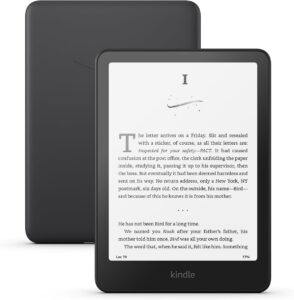
This review is research based. No unit was operated by this site. Every figure comes from Apple's own technical specification page for this model, and the reasoning about what those figures mean for reading is set out so you can disagree with it. If your starting point is a dedicated e-reader, the Kindle Paperwhite review on this site is the natural thing to read alongside this.
By Published Updated Research-based assessment

Affiliate disclosure: the price links on this page may earn us a commission at no extra cost to you. Retailers cannot pay for placement or influence the score. How we stay independent

Quick verdict

Apple iPad 11-inch (A16), 2025 model
Apple iPad 11-inch (A16) specifications
6.5/10
Editorial ratingFairWeighted average of 4 rated sections.

As a reading device the iPad 11-inch is a compromise with real strengths. It runs every reading app at once, the screen is sharp and even, and Apple Pencil support makes annotation good. It is also 477 grams of backlit LCD, which is heavy to hold for an hour and unreadable in direct sun. Buy it as a tablet you will also read on, not as an e-reader replacement.

Strengths

  • Shows a full A4 or Letter PDF page at readable size without zooming
  • 264 ppi keeps text edges clean
  • True Tone shifts the white point to match the room, which helps at night

Weaknesses

  • 477 g is heavy to hold in one hand for a long reading session
  • A 500-nit backlit LCD is unreadable in direct sunlight, where E Ink improves
  • The USB-C port runs at USB 2.0 speed, 480 Mb/s, which is slow for a large scanned library

Key specifications

Display
11-inch Liquid Retina, LED-backlit IPS, 2360 by 1640, 264 ppi, 500 nits, True Tone
Screen size, measured
10.86 inches diagonally as a rectangle (Apple)
Dimensions
248.6 mm tall, 179.5 mm wide, 7 mm thick
Weight
477 g Wi-Fi, 481 g Wi-Fi + Cellular
Chip
A16, 5-core CPU, 4-core GPU, 16-core Neural Engine
Storage
128 GB, 256 GB or 512 GB. No microSD slot
Port
USB-C supporting charging, DisplayPort and USB 2.0 at up to 480 Mb/s
External display
One external display up to 4K at 60 Hz
Battery
28.93 Wh. Up to 10 hours web on Wi-Fi, up to 9 hours on cellular (Apple)
Wireless
Wi-Fi 6 (802.11ax) 2x2 MIMO, Bluetooth 5.3. Cellular models add 5G sub-6 GHz
SIM
eSIM only on cellular models. No physical SIM tray
Biometrics
Touch ID in the top button
Stylus
Apple Pencil (USB-C) and Apple Pencil (1st generation, via USB-C adapter)
Keyboard
Smart Connector on the left side
Cameras
12MP rear wide, 12MP landscape Center Stage front
Audio
Landscape stereo speakers, dual microphones
Finishes
Silver, Blue, Pink, Yellow
In the box
iPad, 1 m USB-C charge cable, 20 W USB-C power adapter
Operating system
iPadOS

Full specification sheet and comparisons →

How we reviewed it

Basis
Research-based: assessed from the manufacturer’s published specifications, documentation and the independent sources listed at the end. We have not tested this unit ourselves; any measurement quoted belongs to the cited source.
Method

All hardware figures were read directly from Apple's technical specification page for the iPad 11-inch (A16), including size and weight, display, chip, connectivity, charging and expansion, power and battery, and the in-box contents. Accessory compatibility was taken from the same page. Retailer demand was read from Amazon's Best Sellers list for tablets on 18 September 2026. Sections follow the reading task, and each score is set against what a reader gets from a dedicated e-reader in the same area, because that is the comparison this site's readers are making. No score rests on a number this site could not verify at its source.

Evidence

Apple publishes an unusually complete specification for this model, including the exact battery capacity in watt-hours, the USB-C data rate, the pixel density and the exact Apple Pencil models supported. Those are the figures this review is built on. Where a reading-relevant property is not published, such as whether the display is laminated to the glass or carries an anti-reflective coating, that is recorded as unknown. Nothing was inferred from other iPad models.

Limitations

Nobody on this site has read on this iPad. Comfort over a long session, glare behaviour in real rooms, and how the screen feels next to E Ink are reasoned from published figures and are stated as interpretation. No independent laboratory measurement of this model's display was obtained for this review, so contrast, colour accuracy and reflectance are left unrated. Apple does not state whether this panel is laminated to the cover glass or whether it has an anti-reflective coating, and neither was assumed. Battery figures are Apple's own, measured under Apple's own conditions, and reading with the screen dim will differ from web browsing. Search demand could not be established, because no search-volume provider is available to this workflow. No price appears in this text, because prices belong in the offers block where they stay current.

Weight, size and holding it for an hour

6.0/10Fair
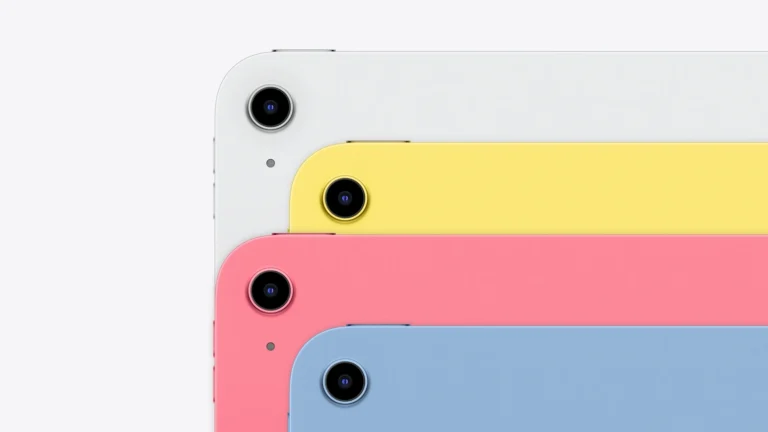
Rear view of four iPad 11-inch units in Silver, Yellow, Pink and Blue stacked in a row, showing the single rear camera and the flat aluminium back
Apple's own render of the four iPad 11-inch finishes. The flat aluminium back and 7 mm thickness are visible along the stacked edges. Apple product imagery

This is where the reading case is won or lost, and Apple's own numbers tell the story. Apple lists the iPad 11-inch at 248.6 mm tall, 179.5 mm wide and 7 mm thick, weighing 477 grams in the Wi-Fi version or 481 grams with cellular.

Set that against the class it is competing with in a reader's hands. A 6-inch or 7-inch e-reader is typically between 170 and 220 grams. The iPad is therefore somewhere near double to triple the mass, and the mass is spread over a much larger area, so the leverage on your wrist is worse than the weight alone suggests. Holding 477 grams in one hand for a chapter is not comfortable for most people. Holding it propped, on a table, on a knee or in a case that stands up, is fine.

That is the honest shape of the trade. The iPad is a two-handed or supported reading device. If your reading happens in bed on one side, or standing on a train, a dedicated e-reader wins on physics and nothing about the software changes that.

The upside of the same dimensions is page size. An 11-inch display shows a full A4 or Letter PDF page at close to readable size without zooming, which a 6-inch e-reader cannot do at all. For academic papers, sheet music, comics and technical manuals that is not a small advantage, it is the whole argument.

The enclosure is aluminium and Apple sells four finishes: Silver, Blue, Pink and Yellow.

The display, and what a backlit LCD costs a reader

6.5/10Fair
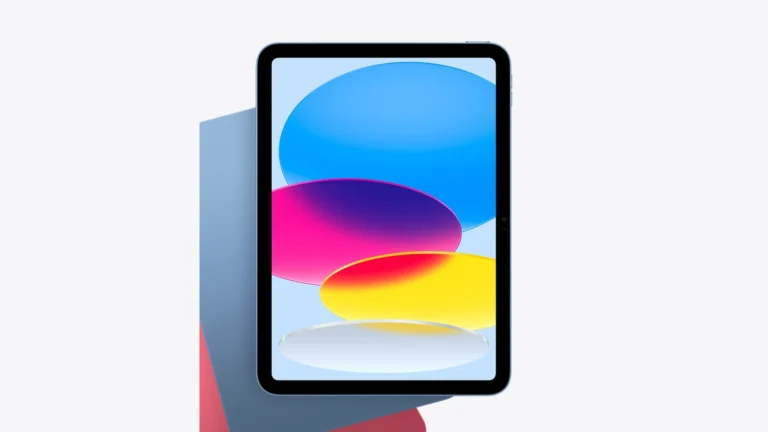
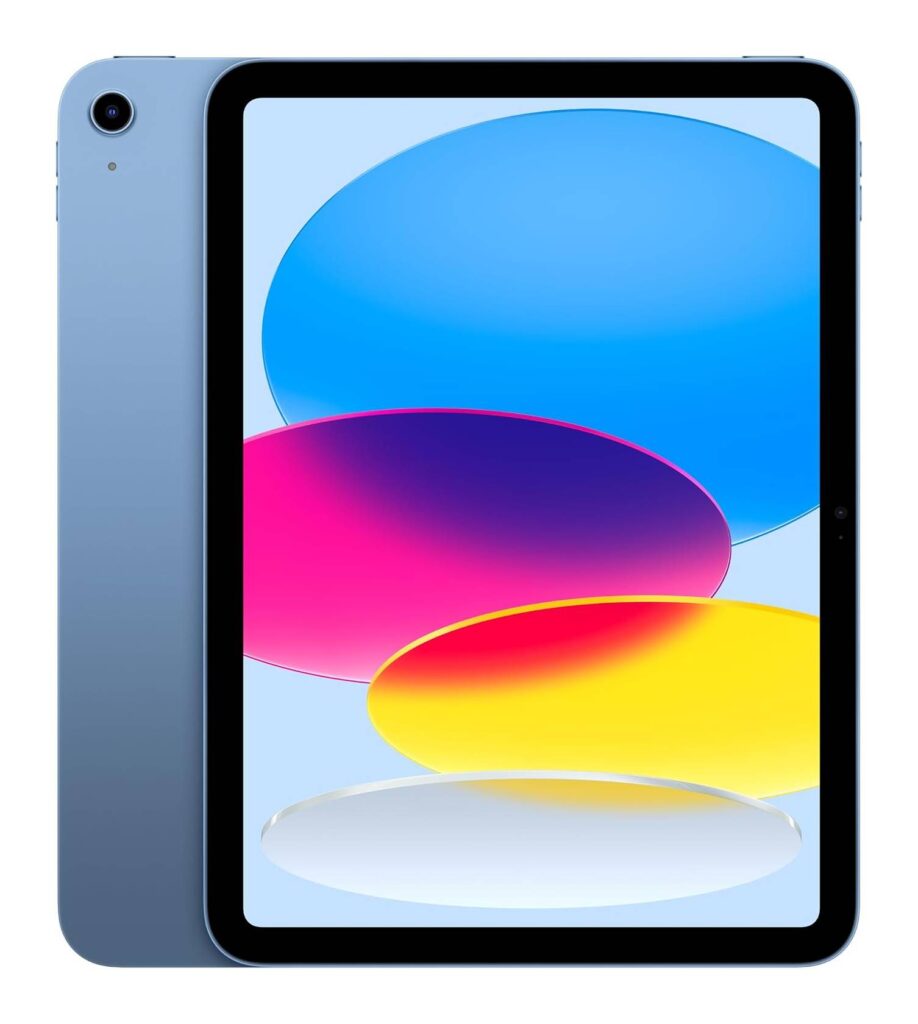
Front view of the iPad 11-inch in Blue showing the full 11-inch display and the front camera positioned on the long landscape edge
Apple's front-facing render of the iPad 11-inch. The front camera sits on the long edge, so the device is designed to be held landscape. Apple product imagery

Apple specifies an 11-inch Liquid Retina display, LED backlit with IPS technology, at 2360 by 1640 pixels and 264 pixels per inch, with True Tone and a fingerprint-resistant oleophobic coating.

Taken as numbers, 264 ppi is good. It is sharper than most 300 ppi claims suggest once you account for the larger viewing distance people use with a tablet, and text edges will not be the limiting factor in how the page looks. True Tone shifting the white point toward the room's light is a genuine comfort feature for reading at night, and it is the kind of thing e-readers achieve with a warm front light instead.

The cost is the light source. An e-reader reflects room light off a page. This reflects nothing and emits everything, at a maximum of 500 nits. In a bright room that is comfortable. In direct sunlight it is not, and no tablet at this brightness is. A Kindle in the same conditions gets easier to read as the light gets stronger, which is the exact opposite behaviour. That is the fundamental split between the two technologies and it is worth being clear-eyed about before buying.

Two things Apple does not state, and which this review will not infer. Whether the panel is laminated directly to the cover glass, which affects how deep the text looks and how much internal reflection you get, and whether there is an anti-reflective coating. Apple lists neither for this model, and anyone reading in a room with a window behind them should look at a unit in person before committing.

Apple Pencil, notes and annotating what you read

7.0/10Good
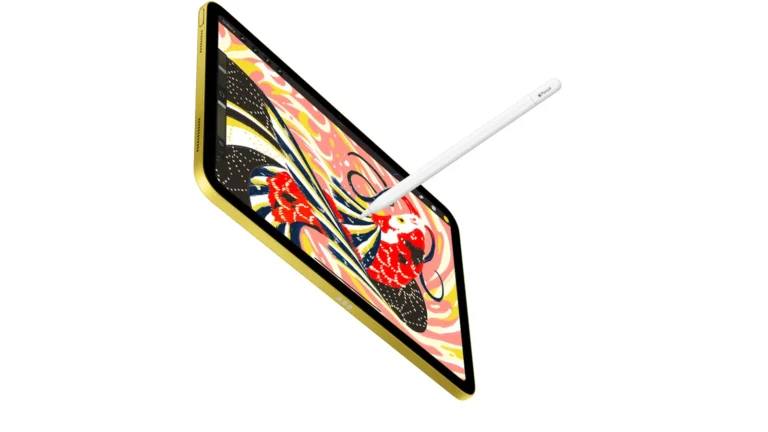
iPad 11-inch in Yellow shown at an angle with an Apple Pencil resting against the display and the Smart Connector pins visible on the side edge
Apple's render of the iPad 11-inch with Apple Pencil. The three Smart Connector pins on the long edge are where a keyboard folio attaches. Apple product imagery

For anyone who reads to work, this is the section that matters, and Apple's specification is precise about it.

The iPad 11-inch supports Apple Pencil (USB-C) and Apple Pencil (1st generation). The first generation model needs a USB-C to Apple Pencil Adapter to pair and charge, which Apple sells separately. Apple does not list support for Apple Pencil Pro or Apple Pencil (2nd generation) on this model. That matters, because those are the models with pressure sensitivity, squeeze and the other features people associate with drawing on an iPad. If annotation is the reason you are buying, check which Pencil you need before ordering.

What the supported Pencils do very well is margin notes, highlighting and signing documents. Combined with an 11-inch page at that pixel density, marking up a PDF here is a better experience than on any current E Ink tablet with a stylus, because the refresh is instant and the colour is real. The E Ink competition wins on writing feel and on not having a backlit screen an inch from your eyes, and loses on speed.

The practical arrangement is worth noting. The Pencil attaches magnetically to the side of the iPad, which keeps it with the device but does not charge it on this model. That is a small daily annoyance.

Storage, the slow port, battery and the accessories that change the job

6.5/10Fair
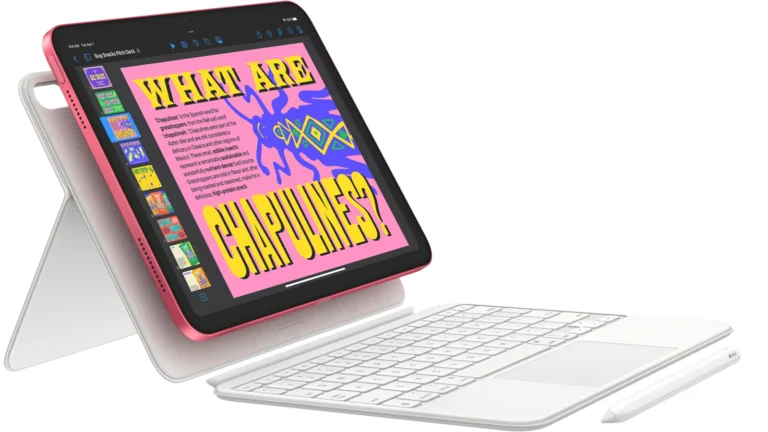
iPad 11-inch in Pink propped upright in a white keyboard folio with a detached keyboard and an Apple Pencil lying beside it
Apple's render of the iPad 11-inch in a keyboard folio. Propping the device up is what removes the weight problem for long reading sessions. Apple product imagery

Four practical facts decide how this device fits into a reading life, and Apple publishes all of them.

Storage comes in 128 GB, 256 GB and 512 GB, and there is no microSD slot. For text that is irrelevant, because a large library of EPUB files is measured in hundreds of megabytes. For scanned PDFs, art books and comics it is the whole decision, and the base capacity fills faster than people expect once a few hundred scanned volumes are on board.

The USB-C port is the surprise. Apple states it supports charging, DisplayPort and USB 2.0 at up to 480 Mb per second. That is the same data rate as a USB port from 2000. Moving a 40 GB comic library onto the device over that link takes a long time, and anyone who plans to sideload a large collection by cable should know this before buying.

Battery is a 28.93 watt-hour cell, which Apple rates at up to 10 hours of web browsing on Wi-Fi or 9 hours over cellular. Reading with the screen dimmed will do better than web browsing, but the comparison to make is with an e-reader whose battery is measured in weeks. This is a device you charge most nights. In the box Apple includes a 1 metre USB-C cable and a 20 W power adapter.

The accessory that changes the reading experience most is a stand. The three Smart Connector pins on the long edge take a keyboard folio, and any folio that props the iPad up removes the weight problem described earlier entirely. Anyone buying this to read should budget for a case that stands.

On connectivity, all models get Wi-Fi 6 and Bluetooth 5.3. Cellular models are eSIM only and take no physical SIM, which is worth checking against your carrier if you want library downloads away from Wi-Fi. The comparison of running Android on an E Ink reader covers the same app-access argument from the other direction.

Alternatives worth considering

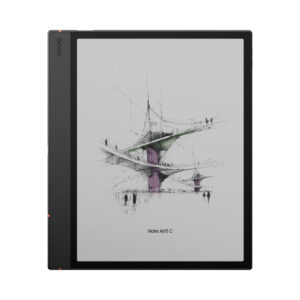
BOOX Note Air5 C

The middle path. A colour E Ink tablet with Android and a stylus, so PDFs and annotation work without a backlit screen, at the cost of refresh speed and colour saturation.

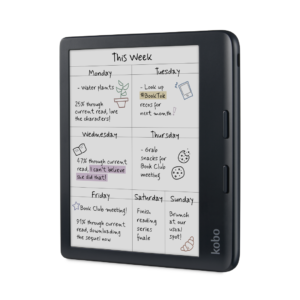
Kobo Libra Colour

A lighter colour e-reader with page-turn buttons and open EPUB support, for readers who want colour covers and library borrowing without a tablet.

Where to buy

In-stock offers for this exact model, sorted by item price in USD. Shipping is not included unless a retailer supplies it. Not every retailer is listed. Prices last checked 7 hours ago.

Retailer prices for the Apple iPad 11-inch (A16), 2025 model
RetailerItem priceShippingAvailabilityCheckedLink
Amazon.com$399 $449See retailerListedCheck price at Amazon.com

Prices and availability come from retailer feeds and change without notice; the retailer’s page is authoritative. We may earn a commission if you buy through these links.

Final verdict

Apple iPad 11-inch (A16), 2025 model
6.5/10Editorial ratingFair

Score breakdown

Scores run from 1.0 to 10.0: 9+ exceptional, 8–8.9 excellent, 7–7.9 good, 6–6.9 fair, 5–5.9 mediocre, below 5 poor. The overall score is the weighted average of the rated sections; unrated sections do not count.

Pros

  • Shows a full A4 or Letter PDF page at readable size without zooming
  • 264 ppi keeps text edges clean
  • True Tone shifts the white point to match the room, which helps at night
  • Runs Kindle, Kobo, Libby and a PDF reader at once
  • Quick highlighting and margin notes with Apple Pencil
  • Charger and cable in the box

Cons

  • 477 g is heavy to hold in one hand for a long reading session
  • A 500-nit backlit LCD is unreadable in direct sunlight, where E Ink improves
  • The USB-C port runs at USB 2.0 speed, 480 Mb/s, which is slow for a large scanned library
  • No microSD slot, so storage is fixed at purchase
  • Battery is rated in hours, against weeks for an e-reader
  • Apple lists no support for Apple Pencil Pro or Apple Pencil 2nd generation on this model
  • Apple does not state whether the display is laminated or anti-reflective

Conclusion

Judged as a tablet, the iPad 11-inch is at the top of Amazon's list for good reasons. Judged as a reading device, it is a specific tool with a specific shape.

It wins decisively on page size and on software. Nothing with an E Ink screen shows a full journal article or a comic page as well, and no e-reader lets you keep Kindle, Kobo, Libby and a PDF annotator open at the same time. Apple Pencil support turns it into a serious study device.

Physics is where it loses. At 477 grams it needs propping up, a 500-nit backlit LCD gives up in sunlight, and a battery rated in hours is a different relationship with a charger than an e-reader asks for. The USB 2.0 port is a genuine misstep for anyone with a large scanned library.

Buy it if your reading is documents, comics and study. Buy an e-reader if your reading is novels in bed.

Andreea-Viviana Jitaru’s take

The most useful thing to say about this iPad is that the reading argument almost never turns on the tablet being good, because it clearly is. It turns on posture. Readers who consume novels lying down are buying the wrong object no matter how sharp the panel is, and readers who work through PDFs at a desk are buying exactly the right one. The USB 2.0 port is the detail that sits least well. In 2026, on a device with 512 GB of storage available, capping the cable at 480 Mb per second looks like a decision made to protect the price of the iPad Air. A review with no reading time on the device cannot tell you how the glare behaves in your own room, and this assessment does not pretend to know.

Buy it if
  • Readers whose library is PDFs, comics, art books, sheet music or technical manuals
  • Anyone who reads propped up, at a desk, on a table or in a stand case
  • People who want one device for reading, video, email and note taking
  • Students and researchers who annotate as they read
  • Readers who move between Kindle, Kobo, Libby and library apps and want them all in one place
Consider an alternative if
  • You read one-handed in bed or standing on a commute
  • Reading outdoors in bright sun
  • A charge every few weeks is what you expect from a reading device
  • You plan to sideload tens of gigabytes of scans over the cable
  • A backlit screen at night already keeps you awake

Questions readers ask

Is the iPad 11-inch good for reading books?

For PDFs, comics, art books and study it is very good, because an 11-inch page shows a full document page without zooming. For long novel reading it is compromised by a 477 gram weight and a backlit LCD.

Can you read on it in sunlight?

Not comfortably. A backlit LCD loses contrast as ambient light rises. An E Ink e-reader behaves the opposite way and gets easier to read in bright light.

Which Apple Pencil works with it?

Apple lists Apple Pencil (USB-C) and Apple Pencil (1st generation). The first generation model needs a USB-C to Apple Pencil Adapter, sold separately. Apple Pencil Pro and Apple Pencil 2nd generation are not listed for this model.

How much storage do you need for a reading library?

For EPUB text, the 128 GB base is far more than enough. For scanned PDFs, comics and art books it fills quickly, and there is no microSD slot, so choose the capacity at purchase.

How fast is the USB-C port?

Apple specifies USB 2.0 at up to 480 Mb per second, along with charging and DisplayPort. Transferring a large scanned library by cable will be slow.

How long does the battery last?

Apple rates the 28.93 watt-hour battery at up to 10 hours of web browsing on Wi-Fi, or 9 hours on cellular. Reading with a dimmed screen should do better, but this is a device charged in days rather than weeks.

About the reviewer

Editor

Andreea edits the written side of the site: the editor's note on each product page, the category buying guides and the blog. Her brief is to say what a specification table cannot — where a product is genuinely good, where it quietly compromises, and who should walk past it. A note that reads like marketing copy, or that praises a product without naming a drawback, does not go live.

This is a research-based assessment: the reviewer compiled it from published specifications, documentation and independent measurements rather than from testing the unit.

Profile and other work →

Sources

  • Apple, iPad 11-inch Technical Specificationsapple.com
  • Apple, iPad 11-inch product overviewapple.com
  • Amazon Best Sellers, Tablets (retrieved 18 September 2026)amazon.com
  • Apple, Apple Pencil compatibility and the USB-C to Apple Pencil Adapter (stated on the specification page)apple.com

← Back to the blog