Kobo Clara Colour: 150 ppi color, 300 ppi black text
The Kobo Clara Colour combines a six-inch color E Ink screen with 16 GB of storage and a compact body. Its Kaleido 3 panel displays color at 150 ppi and black-and-white content at 300 ppi. That is a resolution distinction, not a measurement that color looks exactly half as sharp.
It supports library borrowing and EPUB reading, with capabilities that depend in part on software and service availability. Color can be useful for covers and highlights, but a six-inch page leaves limited room for detailed comics. We have not independently measured its color, contrast or battery life.
Affiliate disclosure: the price links on this page may earn us a commission at no extra cost to you. Retailers cannot pay for placement or influence the score. How we stay independent
Consider it for color covers and highlights in a compact reader. Black-and-white content is specified at 300 ppi and color at 150 ppi, with no independent contrast measurement here.
Strengths
Black text at the full 300 ppi
Libby built in
Supports compatible EPUB/PDF files, with software-specific format limits
Weaknesses
Color drawn at half the resolution of the text
No Dropbox/Google Drive integration. Kobo Cloud has separate requirements.
Research-based: assessed from the manufacturer’s published specifications, documentation and the independent sources listed at the end. We have not tested this unit ourselves; any measurement quoted belongs to the cited source.
Method
E Ink's Kaleido 3 page supplied the color count, the gray levels and the two resolutions in the screen section. Kobo's help center explained what the color screen shows and the rainbow setting. Its model lists for Libby, Dropbox, Google Drive and the styluses, its file formats and its water care advice fill the books and battery sections. iFixit, Kobo's repair partner, listed the screen resolution and Kobo's battery rating with its conditions. Its pages on the N367 and N367B give the two battery sizes and the parts you can replace.
Evidence
Every screen figure is E Ink's rating for the Kaleido 3 panel, and the battery figures are Kobo's rating and iFixit's repair records. Our arithmetic turns the rating into hours and the resolutions into color dots.
Limitations
We have no independent measurement of the Clara Colour's color, contrast or battery life, so the 42-day figure stays Kobo's. Kobo's help pages don't say which battery version a store ships.
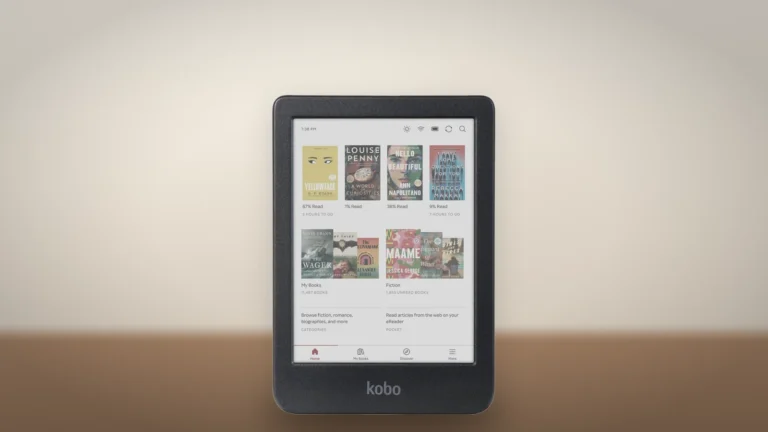
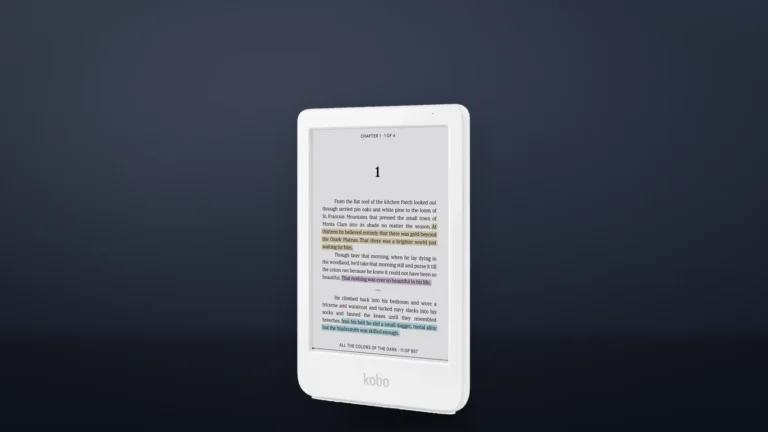
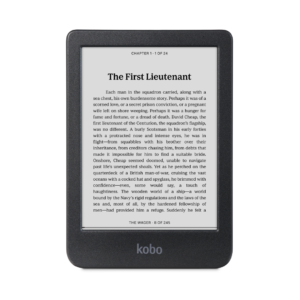
The black Clara Colour from the front, with book covers in color on its Home screen. Image: Kobo render; generated background.
The panel is E Ink's Kaleido 3. E Ink rates it at 4,096 colors and 16 shades of gray. Black is drawn at 300 ppi and color at 150. iFixit lists the Clara Colour's screen at 1448 by 1072 pixels. Color runs at half that resolution in both directions, so there is one color dot for every four black pixels.
Black text keeps the full resolution, and everything colored gets the coarser grid: a cover, a highlight or a comic panel. Kobo's help center adds that the screen shows color only where a page was made in color, so a manga printed in black and white stays black and white. Covers on the Home screen and the sleep screen do show in color, and Kobo says the sleep cover doesn't affect battery life.
A full comic page has to fit on a six-inch screen. Small text and detailed panels may need zooming, so color alone does not make this the best format for every comic. Covers and color-coded highlights ask less of the small display.
For the rainbow pattern that some color images show, Kobo offers a "Reduce rainbow effect" setting on the second page of the reading settings. Kobo warns that it may slow the reader or blur some images. We'd leave it off for novels and turn it on only for the book that needs it.
Getting books on it without Amazon
Not rated · Evidence: maker figures only
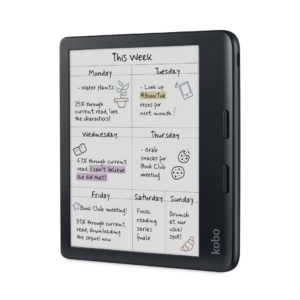
The black Clara Colour at an angle, with blue, purple and yellow highlights on a page of text. Image: Kobo render; generated background.
Libby is built into supported Kobo software, with the US among the supported countries. File support depends on the installed software: Kobo's optional 6.0 beta drops RTF and HTML support and warns of MOBI issues. Check the version before relying on an older format list.
A compatible DRM-free EPUB or PDF can be added by USB from a computer. Clara Colour lacks the Dropbox and Google Drive integration available on selected larger Kobos. Separately, Kobo Cloud with a Kobo Stack subscription offers supported uploads on compatible software, including the optional 6.0 beta. Check region, plan and software requirements before choosing that route.
Highlights are made with a finger, because Kobo's styluses work only with the Libra Colour, Sage, Elipsa and Elipsa 2E. There are no page-turn buttons either. Kobo Audiobooks play through a Bluetooth device, such as headphones or a speaker.
Battery rating, two battery sizes and repairs
Not rated · Evidence: maker figures only
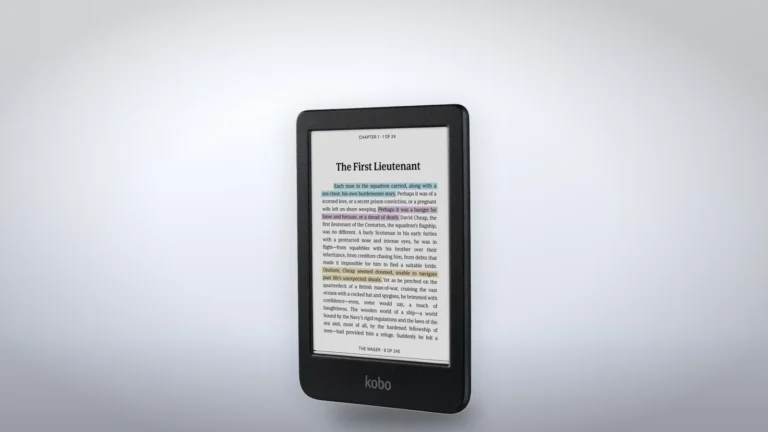
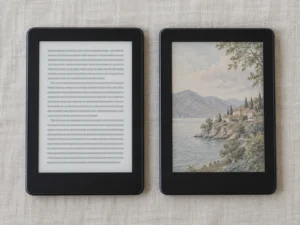
The white Clara Colour at an angle, with a chapter opening and three highlights on screen. Image: Kobo render; generated background.
Kobo's rating is up to 42 days at 30 minutes a day, with the front light at 30 percent and Wi-Fi and Bluetooth off. That equals 21 reading hours by arithmetic. Three weeks at an hour a day is only an illustration under equivalent conditions, not a measured runtime.
The Clara BW is rated at 53 days, but with its light at 10 percent. The two ratings use different light levels, so the gap between them doesn't show which battery lasts longer.
The original N367 has a 1,420 mAh battery, according to iFixit's records. The N367B, released in June 2025, has 1,900 mAh, about a third more under the same rating. You'll find the model number near the bottom of the back, or under More > Settings > About Clara Colour.
Kobo offers repair parts and guides through iFixit. Check the exact N367 or N367B model before ordering a display, battery, motherboard or cover. Opening the reader can compromise its water seal. Its IPX8 rating is for up to 60 minutes in 2 meters of water under the specified conditions, not proof that a repaired unit retains the original protection.
That repair route is worth more than the bigger battery. A worn N367 cell can be replaced, so ending up with the original version is no reason to send a reader back.
Clara BW is a compact monochrome option if color is not useful. Compare current prices and software support rather than assuming all internals and viewing characteristics match.
A 7-inch Kaleido 3 Kobo with page-turn buttons, Stylus 2 support and Dropbox and Google Drive links, for anyone who writes in books or reads comics and will carry a bigger reader.
In-stock offers for this exact model, sorted by item price in USD. Shipping is not included unless a retailer supplies it. Not every retailer is listed. Prices last checked 13 hours ago.
Retailer prices for the Kobo Clara Colour, 16 GB (N367, and the N367B version of June 2025 per iFixit), black and white
Prices and availability come from retailer feeds and change without notice; the retailer’s page is authoritative. We may earn a commission if you buy through these links.
✓
Final verdict
Kobo Clara Colour, 16 GB (N367, and the N367B version of June 2025 per iFixit), black and white
RecommendationConsider if you want color highlights and covers on a six-inch Kobo
This review gives no score out of 10, because no section rests on a measurement by an independent body. The recommendation and the written verdict stand on their own.
Pros
Black text at the full 300 ppi
Libby built in
Supports compatible EPUB/PDF files, with software-specific format limits
IPX8, up to 60 minutes in 2 meters of water
Display, battery, motherboard and covers sold as repair parts through iFixit, so a worn battery doesn't end the reader's life
Cons
Color drawn at half the resolution of the text
No Dropbox/Google Drive integration. Kobo Cloud has separate requirements.
No stylus support and no page-turn buttons
Six-inch page can be cramped for detailed comics
Conclusion
Clara Colour adds useful color covers and highlights in a small reader. Its resolution ratings do not establish equal contrast to a monochrome reader, and software version matters for file and cloud support. Check the exact battery/repair model before ordering parts.
Our take
Color highlights are a practical reason to choose this model. For detailed comics, consider whether the six-inch page is large enough before making color the deciding feature.
Best for
Library borrowers who color-code their highlights
Readers who want their covers in color on a pocket-size reader
Consider an alternative if
Novels are nearly all you read
Comics are most of what you read
You want to write notes with a stylus
You'd rather drop files into Dropbox or Google Drive than plug in a cable
Does the Kobo Clara Colour work with the Kobo Stylus?
No. Kobo lists the Kobo Stylus and Stylus 2 for the Libra Colour, Sage, Elipsa and Elipsa 2E only, so highlights on the Clara Colour are made by touch.
Which battery does my Clara Colour have?
Check the model number near the bottom of the back, or under More > Settings > About Clara Colour. iFixit lists the larger battery for the N367B, the version released in June 2025.
Ciprian founded ReaderPilot and takes editorial responsibility for it. He sets the rules its AI tools work to: specifications come from makers’ documentation, the VS Score follows a published weighting, and no commercial relationship touches a ranking. He checks each new product and comparison page before it goes live, decides which articles are published and handles corrections. Based in Bucharest.
This is a research-based assessment: the reviewer compiled it from published specifications, documentation and independent measurements rather than from testing the unit.
ConsiderKobo Clara Colour, 16 GB (N367, and the N367B version of June 2025 per iFixit), black and whiteCompare prices
Cookies on ReaderPilot
We keep cookies to a minimum. Without your consent, this site sets only the ones it needs to work: remembering your answer here and keeping the site secure. If you allow analytics cookies, Google Analytics counts visits and shows us which pages people read. If you allow functional cookies, two optional features can use them: Google sign-in for posting a review, and remembering embedded videos you choose to always show. The site is also set up for Google AdSense ads; the cookie policy explains how Google uses cookies once ads run. Cookie policy
Customise consent preferences
Each category below lists the exact cookies behind it, what they do and how long they last. Strictly necessary cookies cannot be switched off because the site would stop working without them. Anything else is yours to decline.
NecessaryAlways active
Strictly necessary cookies keep the site working and secure: they remember your choice here, help the security layer stop attacks and keep site accounts signed in to the admin area. The site cannot run without them.
Show the cookies in this category (8)
cmp_consent
ReaderPilot · 1 year
Remembers your consent choice for each cookie category, so the banner does not ask again on every page.
cmp_visitor
ReaderPilot · Session (until you close the browser)
Marks your browser as a real visitor, so a comparison page is built when someone actually opens one rather than when a crawler passes through. It holds the value 1 and nothing else: no identifier, no history.
wp-settings-(id), wp-settings-time-(id)
WordPress · 1 year
Remembers layout preferences inside the WordPress admin screens. Set only for accounts that sign in to run the site, never for ordinary visitors.
WordPress · Session, or 14 days if “Remember me” is ticked
Keeps a site account signed in to the WordPress admin, and checks that the browser accepts cookies at login. Set only for accounts that sign in to run the site, never for ordinary visitors.
wfwaf-authcookie-(hash)
Wordfence (Defiant, Inc.) · 12 hours
Lets the Wordfence firewall check a signed-in user’s access level before WordPress loads, so administrators are not blocked by firewall rules. Set only when you log in to the site.
wf_loginalerted_(hash)
Wordfence (Defiant, Inc.) · Persistent
Records that the administrator has already been alerted about a sign-in from this device. Only used if login alerts are enabled, and set only when you log in to the site.
wfCBLBypass
Wordfence (Defiant, Inc.) · Only if enabled
Allows a visitor who knows a hidden bypass address to pass country blocking. It is only used if country blocking is enabled, and we do not currently use it.
wfls-remembered-(hash)
Wordfence (Defiant, Inc.) · Up to 30 days
Remembers a trusted browser for two-factor login when a signed-in user chooses “remember this device”. Set only for site accounts that use two-factor authentication.
Functional
Functional cookies are set only when you use a feature that needs them: signing in with Google to post a review, or ticking “Always display content from …” on an embedded video or post. Decline and the rest of the site works exactly as before: Google sign-in stays off, and embedded videos still load one at a time when you click them.
Show the cookies in this category (2)
g_state (and Google’s own sign-in cookies)
Google · Set by Google
Set only if you use the Google sign-in button to post a review. It remembers the state of that prompt so it is not shown again. Governed by Google’s own policy.
embed-privacy
ReaderPilot · 1 year
Remembers the providers whose embedded content you chose to always display (for example YouTube), so their videos and posts load without a click. Set only when you tick “Always display content from …”, a box that appears only once functional cookies are allowed.
Analytics
Analytics cookies let Google Analytics count visits and show us which pages people read and how they found them, so we know what to improve. Google Analytics loads only after you switch this on. Google signals and ad personalization are turned off, and Google Analytics does not log or store IP addresses. Decline and the site works exactly the same.
Show the cookies in this category (2)
_ga
Google (Google Analytics) · 13 months
Gives your browser a random ID so Google Analytics can tell new visitors from returning ones. It holds no name, email address or account. Set only after you allow analytics cookies.
_ga_E2BSKQQ63R
Google (Google Analytics) · 13 months
Keeps track of the current visit for this site’s Google Analytics property, such as when it started and how many pages it covered. Set only after you allow analytics cookies.
Advertising (Google AdSense)
This site is set up for Google AdSense. No ads are shown until Google approves the site. In the EEA, the UK and Switzerland, Google asks for your consent in its own message before it uses advertising cookies, and that message also decides Google Analytics there. Elsewhere, you can turn off personalized ads in Google’s ad settings.
Show the cookies in this category (2)
FCCDCF, FCNEC
Google (consent message) · Up to 13 months
Stores the choices you make in Google’s consent message, which visitors in the EEA, the UK and Switzerland see, so the message does not appear on every page.
__gads, __gpi, __eoi
Google (AdSense) · Up to 13 months
Used by Google AdSense to show ads, limit how often you see the same ad and detect fraud. Set only on pages that show an ad; no ads are shown until Google approves the site.
Set by other sites
These are set by another company, not by this site: a retailer, after you click through to its website, or a video or social-media provider, after you click to load its content here. That company’s own policy governs them, not this banner.
Show the cookies in this category (2)
Embedded video and social-media cookies
YouTube, Vimeo, TikTok, Instagram, Spotify, X, Reddit · Set by the provider
Articles can embed a video or post. Nothing loads from the provider until you click its placeholder; when you do, the provider may set or read its own cookies under its own policy. YouTube videos load in YouTube’s privacy-enhanced mode (youtube-nocookie.com).
Retailer / affiliate cookies
Amazon & affiliate networks · Set by the retailer
Set on the retailer’s own website after you click a “View deal” or “Check price” link, to attribute a purchase. We do not set or read these.