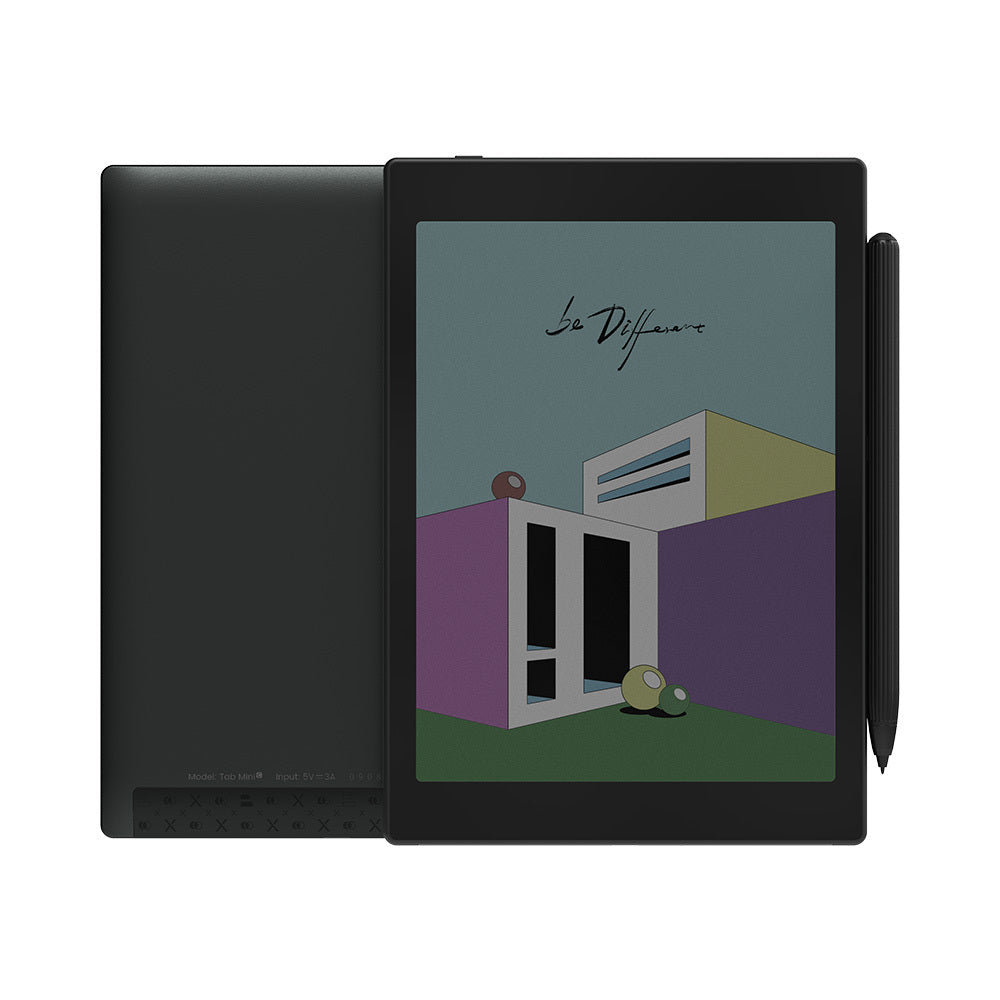
BOOX Tab Mini C: Specs, Features, Pros & Cons
The specification that matters most here is the one BOOX writes as two numbers. The black-and-white layer runs at the full pixel grid. Colour gets half that linear resolution, because Kaleido 3 lays a colour filter array over a monochrome panel and has no colour pixels of its own. Text stays crisp. Colour comes out soft, low in saturation and far coarser. Almost every judgement about the Tab Mini C follows from that one arrangement.
It also sits in an odd size class. At 7.8 inches it is larger than a paperback-sized reader and much smaller than the ten-inch slates BOOX builds its note-taking around, and it arrives with a pen in the standard bundle, so it is sold as a sketchbook as well as a reader. In use it is closer to a reader that can take notes than a notebook that happens to read.
The hardware around the panel is capable. There is a flat anti-glare glass cover-lens, front lighting that shifts between warm and cold, dual speakers, an octa-core chip with its own GPU, and four selectable refresh modes that let you trade ghosting against speed inside ordinary Android apps.
Two omissions are worth knowing before you reach the table. There is no card slot, which is unusual for BOOX and awkward on a device pitched at large colour libraries you are expected to carry with you. And the operating system is Android 11, already a few releases behind at launch and further behind now, which quietly shapes what you can still install.
Priced where it is, against monochrome readers that cost considerably less, the colour layer has to be doing real work for you.
Category strengths
Where the BOOX Tab Mini C beats the average
- A bigger battery ?5,000 mAh vs 3,700 mAh (avg)
- A lighter build ?310 g vs 435 g (avg)
- Has color display ?
Where the BOOX Tab Mini C trails the average
- No expandable storage (microSD) ?
- A smaller screen ?7.8" (19.81 cm) vs 10.3" (26.16 cm) (avg)
- A thicker body ?8.3 mm vs 5.8 mm (avg)
- Lower resolution ?1,872 px vs 2,480 px (avg)
- A slightly lower android version ?11 vs 12 (avg)
How this VS Score was computed
Score 60: each known spec is measured against the median of E Ink note e ink tablets (10 products, medians winsorised to the 10th–90th percentile), then weighted. 53% of the scoreable weight could be used; unknown values, features not applicable to this class and proxies (battery capacity where a rated life exists) add or remove nothing.
| Specification | This product | Cohort median | Score weight | Points moved |
|---|---|---|---|---|
| Front light | Yes | 70% of the class have it | 1 | +50.0 |
| Color display | Yes | 50% of the class have it | 0.7 | +35.0 |
| Adjustable warm light | Yes | 70% of the class have it | 0.7 | +35.0 |
| Weight | 310 | 435 | 1.5 | +30.0 |
| Battery capacity | 5,000 | 3,700 | 1.5 | +27.0 |
| Expandable storage (microSD) | No | 71% of the class have it | 0.5 | −24.0 |
| Screen size | 7.8 | 10.3 | 1.5 | −18.0 |
| Thickness | 8.3 | 5.8 | 0.7 | −4.2 |
| Android version | 11 | 12 | 0.5 | −2.0 |
| Pixel density | 300 | 300 | 1.5 | +0.0 |
| Pen pressure levels | 4,096 | 4,096 | 0.7 | +0.0 |
| RAM | 4 | 4 | 1 | +0.0 |
| Internal storage | 64 | 64 | 0.7 | +0.0 |
Not scored: Resolution (one resolution dimension is not a sharpness measure; pixel density is scored instead); Fast refresh modes (standard for the class (100% have it)); Stylus included (standard for the class (90% have it)); Pen latency (unknown: not scored); Palm rejection (unknown: not scored); Handwriting recognition (unknown: not scored); Pen eraser (unknown: not scored); App store (standard for the class (100% have it)); Cloud sync (standard for the class (100% have it)); Subscription required (unknown: not scored); Screen mirroring (unknown: not scored); Split-screen (unknown: not scored); Battery life (weeks) (unknown: not scored); Charge time (unknown: not scored); USB-C (standard for the class (100% have it)); Bluetooth (standard for the class (100% have it)); 5 GHz Wi-Fi support (standard for the class (100% have it)); Keyboard support (unknown: not scored); Speakers (standard for the class (100% have it)); Microphone (standard for the class (100% have it)); Rear camera (unknown: not scored); Biometric unlock (unknown: not scored).
Editor’s note
Colour E Ink earns its place when it is doing a job rather than decorating. Marking up a PDF in several colours, telling chart series apart, reading a comic whose art is flat and graphic – all of that works. Photography, glossy magazines and anything that leans on saturation do not, and no amount of front light rescues them, because a filter array takes light away.
That is the honest frame, and inside it the Tab Mini C is well judged. It is small enough to hold in one hand for a while, and putting the pen in the box is a good decision, given what BOOX charges for one elsewhere. Handwriting at this size suits margins, to-do lists and quick diagrams. It does not suit pages of notes.
The operating system is my main hesitation. Reading apps are conservative and will keep working for years, but the gap widens annually, and this is the kind of device you would want to keep for five. Work out what you intend to install before you commit.
Weight is the other one. Over three hundred grams is unremarkable on a table or a lap and noticeable held above your face in bed, which is exactly the situation a small reader is supposed to win. A comparable Kobo is around half as heavy.
I would buy this for a mixed diet of PDFs and comics with occasional annotation. I would not buy it as a main novel reader, where a monochrome panel is sharper and lighter for less money, and I would not buy it as a note-taker, where BOOX's larger slates are the products designed for the job.
Specifications
Quality bars are generated automatically against 9 other e ink tablets.
Display
Writing
Software
Performance
Battery
Connectivity
Design
Sources and verification
Where the specifications come from
- Official product pageshop.boox.com
Verification
- First published
- Specifications last checked
- Sheet completeness
- 26 of 41 specifications verified; the rest show as Unknown and are never estimated or scored
- Page type
- Product specification page — Compiled from the manufacturer’s published specifications and the cited sources; this is not a hands-on test.
- Basis
- Research-based: specifications and editorial text were compiled from the documents listed here and the manufacturer’s published data. We have not tested this unit ourselves; where independent measurements are mentioned they belong to the linked publication.
E Ink Tablets with similar specs to the BOOX Tab Mini C
Ratings & reviews
No reviews yet. Be the first to share your experience.
The bottom line
The BOOX Tab Mini C earns a VS Score of 60, comfortably above average among the 10 e ink tablets we compare here.
- Who it’s for
- Someone whose reading is mostly PDFs, comics and technical material where colour carries information, and who wants to annotate by hand without carrying a second device.
- Who should look elsewhere
- Anyone buying primarily for novels, or for serious handwritten notes – a monochrome reader is sharper and lighter for less, and BOOX's bigger slates are the real writing tools.
- The trade-off that matters
- Putting colour on E Ink costs sharpness and brightness on everything else, including the text you will spend most of your time reading.
- The main alternative
- Kobo Libra Colour – a cheaper colour E Ink reader with stylus support and a bookstore already built in, if you want the colour without assembling an Android setup.
The VS Score is calculated from the weighted specifications above, compared with every other e ink tablet we track — a shortlisting guide, not a substitute for your own priorities. See how we score.