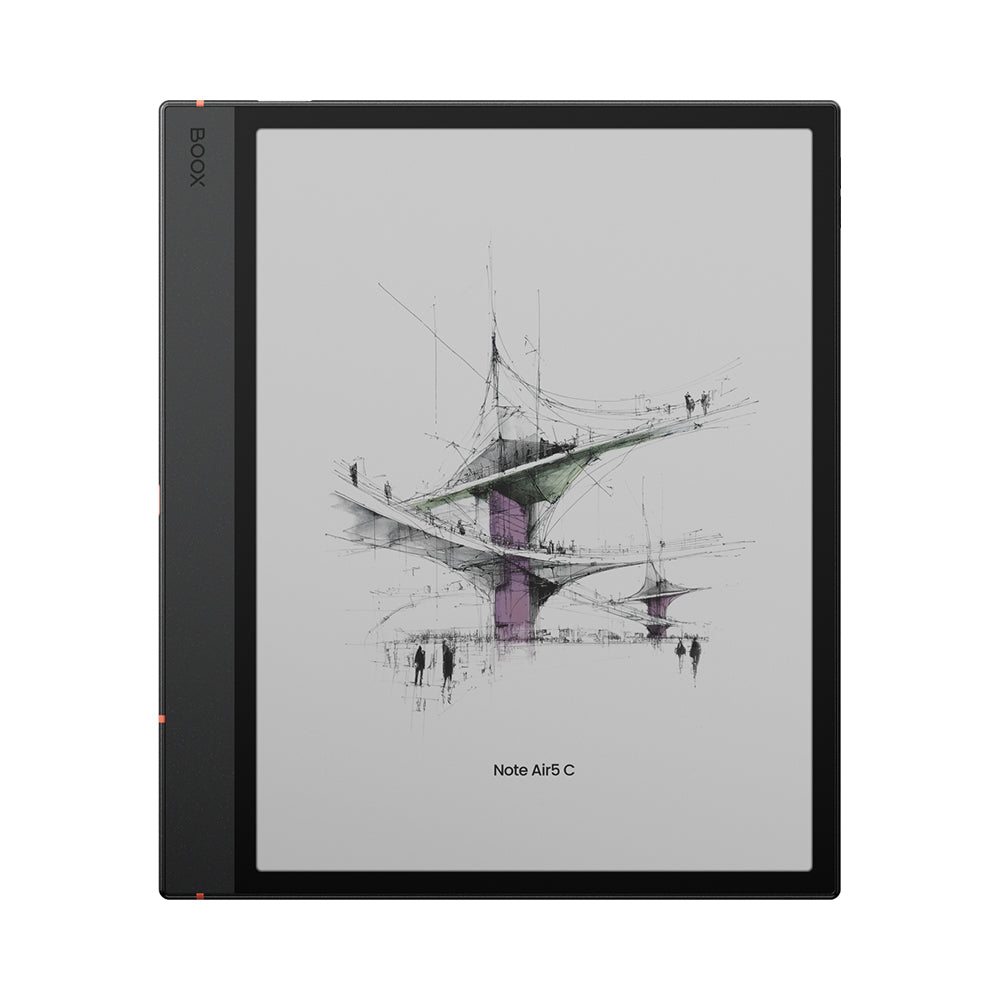
BOOX Note Air5 C: Specs, Features, Pros & Cons
The specification that decides whether you will get on with the Note Air5 C is not the screen. It is the Google Play Store. BOOX ships this as a full Android tablet that happens to have electronic paper where the LCD would be, so you can install a banking app, a browser, a rival reading client and a note service that has nothing to do with BOOX. Nobody else in this category is that permissive, and nobody else hands you the consequences either.
Those consequences are that ordinary Android apps were drawn for a screen that redraws many times a second, and this one does not. BOOX supplies refresh modes and a per-app optimisation tool to paper over the mismatch, and they work well enough that browsing and even video playback are usable, but they are a workaround rather than a fix. Text and handwriting, the two things the hardware was built around, need none of it.
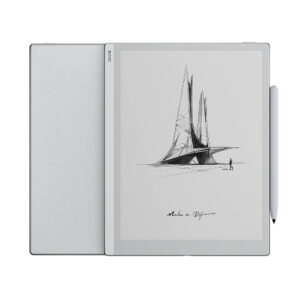
Physically it is unusually thin and light for a device with this much screen, comfortable to hold in one hand for a chapter, with a flat cover lens, a stylus in the box and a pogo-pin keyboard cover sold separately. The colour layer follows the same rule as every Kaleido device: crisp monochrome text, gentle and slightly grainy colour.
Where it earns its place is annotation. Marking up dense PDFs, sketching a diagram beside a paper, splitting the display between a document and your own notes, syncing the result off the device afterwards. This is built for people whose reading produces output. If your reading produces nothing but finished books, the extra size, weight and complexity buy you very little.
Category strengths
Where the BOOX Note Air5 C beats the average
- Much more RAM ?6 GB vs 4 GB (avg)
- Has color display ?
- A higher android version ?15 vs 12 (avg)
Where the BOOX Note Air5 C trails the average
- A slightly heavier build ?440 g vs 435 g (avg)
How this VS Score was computed
Score 64: each known spec is measured against the median of E Ink note e ink tablets (10 products, medians winsorised to the 10th–90th percentile), then weighted. 50% of the scoreable weight could be used; unknown values, features not applicable to this class and proxies (battery capacity where a rated life exists) add or remove nothing.
| Specification | This product | Cohort median | Score weight | Points moved |
|---|---|---|---|---|
| Front light | Yes | 70% of the class have it | 1 | +50.0 |
| Color display | Yes | 50% of the class have it | 0.7 | +35.0 |
| Adjustable warm light | Yes | 70% of the class have it | 0.7 | +35.0 |
| RAM | 6 | 4 | 1 | +25.0 |
| Expandable storage (microSD) | Yes | 71% of the class have it | 0.5 | +25.0 |
| Android version | 15 | 12 | 0.5 | +2.0 |
| Weight | 440 | 435 | 1.5 | −1.5 |
| Screen size | 10.3 | 10.3 | 1.5 | +0.0 |
| Pixel density | 300 | 300 | 1.5 | +0.0 |
| Internal storage | 64 | 64 | 0.7 | +0.0 |
| Battery capacity | 3,700 | 3,700 | 1.5 | +0.0 |
| Thickness | 5.8 | 5.8 | 0.7 | +0.0 |
Not scored: Resolution (one resolution dimension is not a sharpness measure; pixel density is scored instead); Fast refresh modes (standard for the class (100% have it)); Stylus included (standard for the class (90% have it)); Pen pressure levels (unknown: not scored); Pen latency (unknown: not scored); Palm rejection (unknown: not scored); Handwriting recognition (unknown: not scored); Pen eraser (unknown: not scored); App store (standard for the class (100% have it)); Cloud sync (standard for the class (100% have it)); Subscription required (unknown: not scored); Screen mirroring (unknown: not scored); Split-screen (standard for the class (100% have it)); Battery life (weeks) (unknown: not scored); Charge time (unknown: not scored); USB-C (standard for the class (100% have it)); Bluetooth (standard for the class (100% have it)); 5 GHz Wi-Fi support (standard for the class (100% have it)); Keyboard support (standard for the class (100% have it)); Speakers (standard for the class (100% have it)); Microphone (standard for the class (100% have it)); Rear camera (unknown: not scored); Biometric unlock (standard for the class (100% have it)).
Editor’s note
The pitch for a device like this is that it replaces a tablet, a notebook and a reader at once, and it comes closer than most – but the honest framing is that it is a notebook first. Everything about the hardware, from the 10.3-inch canvas to the included Pen3 and the flat glass over the panel, is arranged around writing. Reading is excellent as a consequence. App compatibility is the bonus you are allowed to explore, not the reason to buy.
The open Android argument cuts both ways. Play Store access means you are not locked into BOOX's own reading software, and if the company ever loses interest in updates your library is not trapped with it. It also means the device will cheerfully run software that looks dreadful on electronic paper, and you will spend an evening tuning refresh behaviour app by app before you settle. I would rather have that choice than not, but it is a hobby as much as a feature.
Battery is where I would set expectations carefully. A 3700mAh cell running Android with the front light on and Wi-Fi connected lasts days, against the weeks a dedicated reader manages, and BOOX publishes no runtime figure at all for this model – which tells you something in itself.
Value depends on how you count. Against a plain colour reader it looks expensive and over-specified. Against a colour e-ink tablet plus a stylus bought separately it is competitive, particularly with 64GB and a card slot included. The buyer who regrets it is the one who bought it to read novels in bed and now owns a heavy, configurable Android device that does that particular job worse than something a third of the price.
Specifications
Quality bars are generated automatically against 9 other e ink tablets.
Display
Writing
Software
Performance
Battery
Connectivity
Design
Sources and verification
Where the specifications come from
- Official product pageshop.boox.com
Verification
- First published
- Specifications last checked
- Sheet completeness
- 28 of 41 specifications verified; the rest show as Unknown and are never estimated or scored
- Page type
- Product specification page — Compiled from the manufacturer’s published specifications and the cited sources; this is not a hands-on test.
- Basis
- Research-based: specifications and editorial text were compiled from the documents listed here and the manufacturer’s published data. We have not tested this unit ourselves; where independent measurements are mentioned they belong to the linked publication.
E Ink Tablets with similar specs to the BOOX Note Air5 C
Ratings & reviews
No reviews yet. Be the first to share your experience.
The bottom line
The BOOX Note Air5 C earns a VS Score of 64, comfortably above average among the 10 e ink tablets we compare here.
- Who it’s for
- Students and professionals who annotate as they read – long PDFs, papers, contracts – and want the marked-up copy and the reading copy living on one device.
- Who should look elsewhere
- Anyone who mainly reads novels. This is a heavy Android writing tool, and a dedicated reader will be lighter, cheaper and last far longer between charges.
- The trade-off that matters
- Open Android gives you every app you want and hands you the job of making them behave on electronic paper. Expect to tune refresh settings yourself.
- The main alternative
- reMarkable Paper Pro, if you want the writing without the tablet – a closed, deliberately distraction-free device that does far less and asks nothing of you in return.
The VS Score is calculated from the weighted specifications above, compared with every other e ink tablet we track — a shortlisting guide, not a substitute for your own priorities. See how we score.