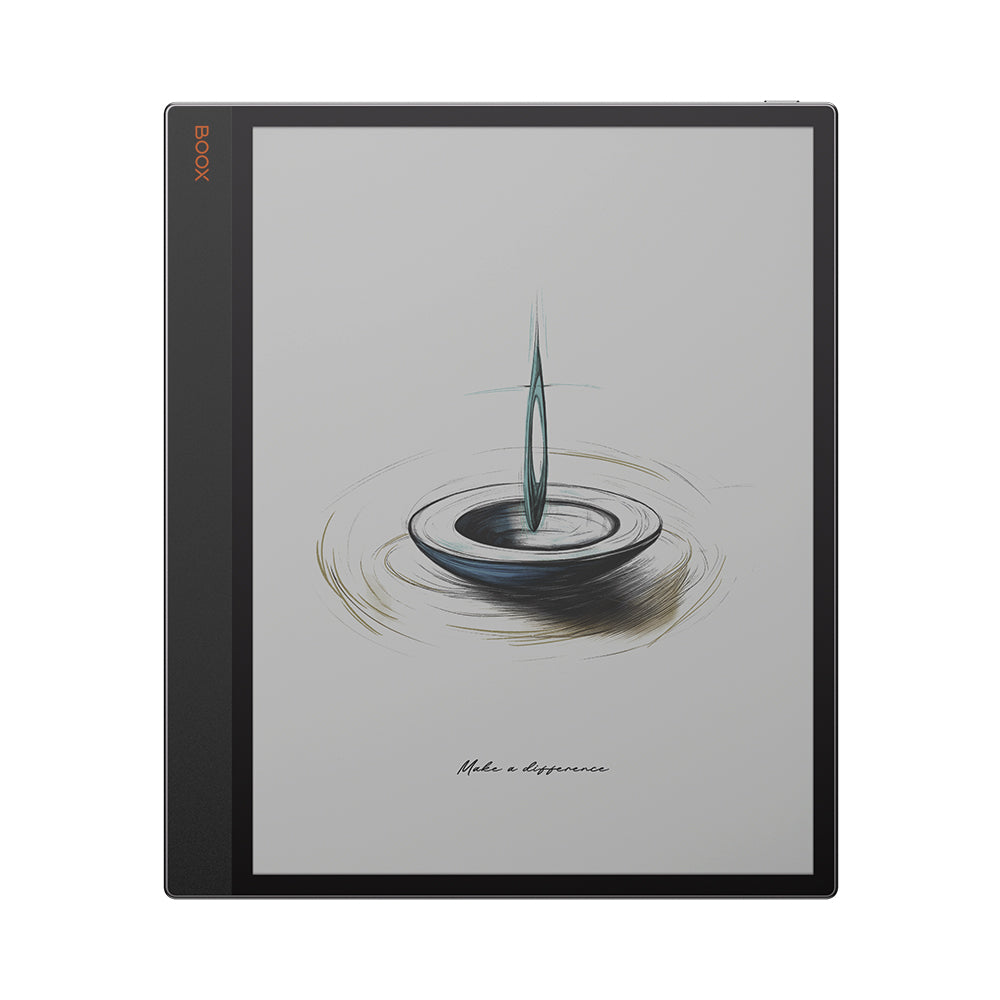
BOOX Tab X C: Specs, Features, Pros & Cons
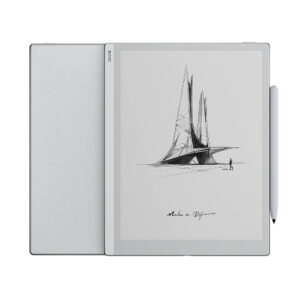
A 13.3-inch colour E Ink panel is an unusual thing to build, and the Tab X C exists because of one specific frustration: on smaller e-paper devices, a full-page document has to be pinched, cropped or reflowed before it becomes readable. Here it does not. Architectural drawings, two-column academic papers, scanned textbooks and sheet music land at something close to their intended scale, and the whole device is organised around that one capability.
A stylus comes in the box, which is less common at this level than it ought to be, and it is a capable one with tilt sensing and haptic feedback. It is also brand new and proprietary. BOOX states that this model accepts only the InkSpire pen and is not compatible with the others, so an Onyx device you already own will not lend it a stylus, and a replacement means buying that exact pen.
The colour behaves the way all Kaleido panels do: a filter over a monochrome layer, sharp for text and considerably coarser for pictures. On a panel this large that trade reads differently than it does on a pocket reader, because what you are most likely to be looking at is diagrams, highlighted passages and coloured annotation rather than photographs, and colour serves those far better than it serves images.
The limitations are physical and permanent. There is no memory card slot, which is a strange thing to leave off a machine designed to hold large document libraries, so the capacity you buy is the capacity you keep for the life of the device. And while the chassis is thin, the thing is still large enough to belong on a desk, a stand or a lap.
Category strengths
Where the BOOX Tab X C beats the average
- A much bigger battery ?5,500 mAh vs 3,700 mAh (avg)
- Much more storage ?128 GB vs 64 GB (avg)
- Much more RAM ?6 GB vs 4 GB (avg)
- A bigger screen ?13.3" (33.78 cm) vs 10.3" (26.16 cm) (avg)
- Has color display ?
- Higher resolution ?3,200 px vs 2,480 px (avg)
- A slightly slimmer body ?5.3 mm vs 5.8 mm (avg)
- A slightly higher android version ?13 vs 12 (avg)
Where the BOOX Tab X C trails the average
- A heavier build ?625 g vs 435 g (avg)
- No expandable storage (microSD) ?
How this VS Score was computed
Score 65: each known spec is measured against the median of E Ink note e ink tablets (10 products, medians winsorised to the 10th–90th percentile), then weighted. 53% of the scoreable weight could be used; unknown values, features not applicable to this class and proxies (battery capacity where a rated life exists) add or remove nothing.
| Specification | This product | Cohort median | Score weight | Points moved |
|---|---|---|---|---|
| Front light | Yes | 70% of the class have it | 1 | +50.0 |
| Color display | Yes | 50% of the class have it | 0.7 | +35.0 |
| Adjustable warm light | Yes | 70% of the class have it | 0.7 | +35.0 |
| Internal storage | 128 | 64 | 0.7 | +35.0 |
| Battery capacity | 5,500 | 3,700 | 1.5 | +27.0 |
| RAM | 6 | 4 | 1 | +25.0 |
| Expandable storage (microSD) | No | 71% of the class have it | 0.5 | −24.0 |
| Screen size | 13.3 | 10.3 | 1.5 | +22.5 |
| Weight | 625 | 435 | 1.5 | −22.5 |
| Thickness | 5.3 | 5.8 | 0.7 | +3.5 |
| Android version | 13 | 12 | 0.5 | +2.0 |
| Pixel density | 300 | 300 | 1.5 | +0.0 |
| Pen pressure levels | 4,096 | 4,096 | 0.7 | +0.0 |
Not scored: Resolution (one resolution dimension is not a sharpness measure; pixel density is scored instead); Fast refresh modes (standard for the class (100% have it)); Stylus included (standard for the class (90% have it)); Pen latency (unknown: not scored); Palm rejection (unknown: not scored); Handwriting recognition (unknown: not scored); Pen eraser (unknown: not scored); App store (standard for the class (100% have it)); Cloud sync (standard for the class (100% have it)); Subscription required (too few comparable peers (2, need 3)); Screen mirroring (unknown: not scored); Split-screen (standard for the class (100% have it)); Battery life (weeks) (unknown: not scored); Charge time (unknown: not scored); USB-C (standard for the class (100% have it)); Bluetooth (standard for the class (100% have it)); 5 GHz Wi-Fi support (unknown: not scored); Keyboard support (standard for the class (100% have it)); Speakers (standard for the class (100% have it)); Microphone (standard for the class (100% have it)); Rear camera (unknown: not scored); Biometric unlock (unknown: not scored).
Editor’s note
I would think of this less as an e-reader than as a document review surface that happens to run Android. The people it fits are specific: someone working through plans or contracts for hours, a musician who wants a page of score without scrolling, a graduate student whose entire reading list arrives as PDFs. For those jobs the argument is not speed, it is that e-paper does not glow at you across a long afternoon, and that argument holds.
The costs are real. At 625 g this is thin but not light – fine resting on a desk, tiring held up. Colour E Ink is dim by nature and a panel this large gives the front light a lot of ground to cover, which is one reason the 5,500 mAh cell is as big as it is. BOOX's Super Refresh modes make scrolling and web browsing tolerable, but they buy that responsiveness by degrading image quality while things are moving, which is the expected trade and worth knowing before judging the panel harshly.
The 128 GB ceiling is the decision I would push back on hardest. The company's own smaller readers have card slots, and a device sold on the premise of holding large documents does not. If your library is scanned colour textbooks, work out whether that figure is enough before committing, because it will never change.
Split-screen, a keyboard cover and the Play Store all invite you to treat this as a laptop substitute, and I would resist the invitation. Typing on e-paper is workable rather than pleasant. If full-page documents at native scale are not specifically why you are here, a smaller and considerably cheaper BOOX will do nearly everything this one does.
Specifications
Quality bars are generated automatically against 9 other e ink tablets.
Display
Writing
Software
Performance
Battery
Connectivity
Design
Sources and verification
Where the specifications come from
- Official product pageshop.boox.com
Verification
- First published
- Specifications last checked
- Sheet completeness
- 29 of 41 specifications verified; the rest show as Unknown and are never estimated or scored
- Page type
- Product specification page — Compiled from the manufacturer’s published specifications and the cited sources; this is not a hands-on test.
- Basis
- Research-based: specifications and editorial text were compiled from the documents listed here and the manufacturer’s published data. We have not tested this unit ourselves; where independent measurements are mentioned they belong to the linked publication.
E Ink Tablets with similar specs to the BOOX Tab X C
Ratings & reviews
No reviews yet. Be the first to share your experience.
The bottom line
The BOOX Tab X C earns a VS Score of 65, comfortably above average among the 10 e ink tablets we compare here.
- Who it’s for
- Someone whose reading is full-page and larger – plans, scores, two-column papers, scanned textbooks – and who wants to spend hours in it without staring into a backlit panel.
- Who should look elsewhere
- Novel readers, and anyone who reads lying down. Also existing BOOX owners assuming their current stylus carries over to it, because BOOX says it does not.
- The trade-off that matters
- The size that finally shows a full page at its proper scale is the same size that keeps the device on a desk instead of in your hands.
- The main alternative
- BOOX Note Air5 C – the same colour e-paper and Android stack in a 10.3-inch body that costs considerably less and can be held, if native full-page documents are not the whole point.
The VS Score is calculated from the weighted specifications above, compared with every other e ink tablet we track — a shortlisting guide, not a substitute for your own priorities. See how we score.