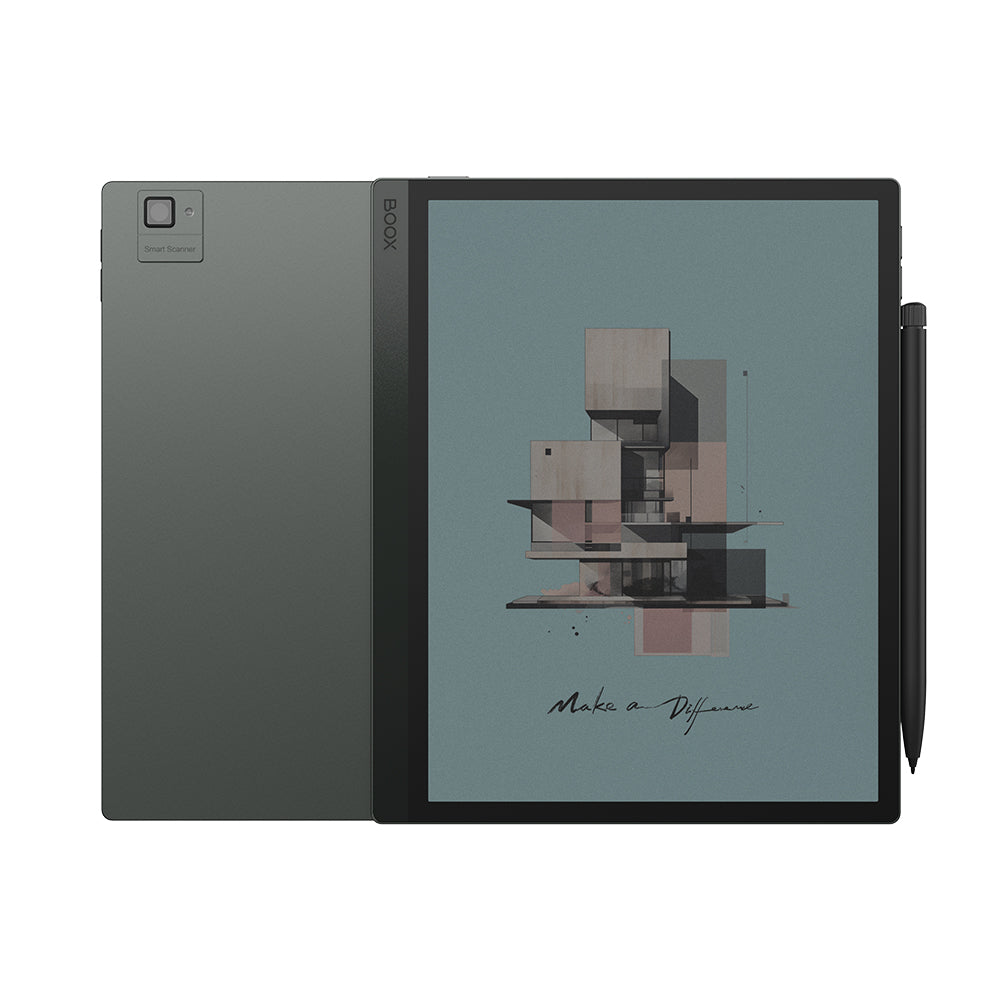
BOOX Tab Ultra C Pro: Specs, Features, Pros & Cons
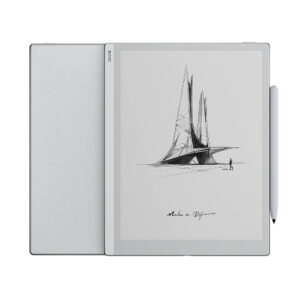
Most colour E Ink tablets try to be a better notebook. The Tab Ultra C Pro tries to be a laptop substitute for people who would rather not stare at a backlit screen all day, and the clues are in the hardware: a rear camera with an LED flash for scanning documents, an aluminium unibody, a fingerprint reader in the power button, and an optional keyboard cover with a trackpad that turns it into a small clamshell.
Underneath, it is a 10.3-inch Kaleido 3 tablet running Android with the Google Play Store, so it runs the same reading, note-taking and document apps as a phone, drawn on a paper-like screen. BOOX's fast refresh modes are what make that workable. They trade some image quality for speed, which is what makes scrolling a web page or typing into a document tolerable on E Ink.
The buyer it suits is specific. Someone who reads and marks up PDFs all day, scans paperwork, drafts long documents and wants to do it away from an LCD will find nearly everything in one device. The pen ships in BOOX's own standard bundle, and the note tools cover handwriting conversion and split-screen work.
The limitations are about age and colour. It ships with Android 12, while BOOX's newer Note Air models already run a much later release on the same screen size, and that matters for app compatibility over the next few years. Colour on Kaleido 3 is muted and drawn at a lower resolution than text, so it helps with highlights, charts and diagrams more than with pictures. It also sits at the top of the colour E Ink price range. The extra money buys the camera, the metal body and the keyboard option. A reader who wants none of those is paying for hardware they will never use.
Category strengths
Where the BOOX Tab Ultra C Pro beats the average
- Much more storage ?128 GB vs 64 GB (avg)
- Much more RAM ?6 GB vs 4 GB (avg)
- A bigger battery ?4,600 mAh vs 3,700 mAh (avg)
- Has color display ?
Where the BOOX Tab Ultra C Pro trails the average
- A thicker body ?6.6 mm vs 5.8 mm (avg)
- A slightly heavier build ?450 g vs 435 g (avg)
How this VS Score was computed
Score 67: each known spec is measured against the median of E Ink note e ink tablets (10 products, medians winsorised to the 10th–90th percentile), then weighted. 53% of the scoreable weight could be used; unknown values, features not applicable to this class and proxies (battery capacity where a rated life exists) add or remove nothing.
| Specification | This product | Cohort median | Score weight | Points moved |
|---|---|---|---|---|
| Front light | Yes | 70% of the class have it | 1 | +50.0 |
| Color display | Yes | 50% of the class have it | 0.7 | +35.0 |
| Adjustable warm light | Yes | 70% of the class have it | 0.7 | +35.0 |
| Internal storage | 128 | 64 | 0.7 | +35.0 |
| RAM | 6 | 4 | 1 | +25.0 |
| Expandable storage (microSD) | Yes | 71% of the class have it | 0.5 | +25.0 |
| Battery capacity | 4,600 | 3,700 | 1.5 | +18.0 |
| Thickness | 6.6 | 5.8 | 0.7 | −4.2 |
| Weight | 450 | 435 | 1.5 | −3.0 |
| Screen size | 10.3 | 10.3 | 1.5 | +0.0 |
| Pixel density | 300 | 300 | 1.5 | +0.0 |
| Pen pressure levels | 4,096 | 4,096 | 0.7 | +0.0 |
| Android version | 12 | 12 | 0.5 | +0.0 |
Not scored: Resolution (one resolution dimension is not a sharpness measure; pixel density is scored instead); Fast refresh modes (standard for the class (100% have it)); Stylus included (standard for the class (90% have it)); Pen latency (unknown: not scored); Palm rejection (unknown: not scored); Handwriting recognition (standard for the class (100% have it)); Pen eraser (too few comparable peers (2, need 3)); App store (standard for the class (100% have it)); Cloud sync (standard for the class (100% have it)); Subscription required (unknown: not scored); Screen mirroring (unknown: not scored); Split-screen (standard for the class (100% have it)); Battery life (weeks) (unknown: not scored); Charge time (unknown: not scored); USB-C (standard for the class (100% have it)); Bluetooth (standard for the class (100% have it)); 5 GHz Wi-Fi support (standard for the class (100% have it)); Keyboard support (standard for the class (100% have it)); Speakers (standard for the class (100% have it)); Microphone (standard for the class (100% have it)); Rear camera (too few comparable peers (1, need 3)); Biometric unlock (standard for the class (100% have it)).
Editor’s note
I think the Tab Ultra C Pro is best judged as a work tool that happens to read books, and on those terms it makes a strong case. The camera is the feature I would use: photographing a contract or a whiteboard and annotating it on the same screen is something neither a Kindle Scribe nor a reMarkable can do. The keyboard cover matters more than it looks, too, because on-screen typing is where E Ink tablets feel slowest.
The sheet is generous where that job needs it: 6 GB of RAM, 128 GB of storage with a microSD slot, a 4,600 mAh battery, and dual speakers and microphones for calls or dictation. BOOX publishes no runtime, and with Android apps, Wi-Fi and fast refresh in use I would not expect the multi-week figures of a dedicated reader.
The part that would make me hesitate is the software clock. An older Android release on a device at this price is already dated, and BOOX's update pledge is about firmware. It makes no promise of a newer Android version. If the apps you depend on start requiring something newer, the hardware will not rescue it. The BOOX Note Air5 C is the obvious comparison: same screen size, about the same weight and a far newer Android release.
At 450 g this is a two-handed device for reading, and the Kaleido 3 layer comes with BOOX's own warning about a slight side shadow from the front light.
For someone who scans, annotates and writes every working day and wants to leave the laptop at home, I would pay the extra. For someone who mainly reads and sketches, a newer Note Air or a reMarkable Paper Pro fits better and spends the money on the parts they will use.
Specifications
Quality bars are generated automatically against 9 other e ink tablets.
Display
Writing
Software
Performance
Battery
Connectivity
Design
Sources and verification
Where the specifications come from
- Official product pageshop.boox.com
Verification
- First published
- Specifications last checked
- Sheet completeness
- 34 of 41 specifications verified; the rest show as Unknown and are never estimated or scored
- Page type
- Product specification page — Compiled from the manufacturer’s published specifications and the cited sources; this is not a hands-on test.
- Basis
- Research-based: specifications and editorial text were compiled from the documents listed here and the manufacturer’s published data. We have not tested this unit ourselves; where independent measurements are mentioned they belong to the linked publication.
E Ink Tablets with similar specs to the BOOX Tab Ultra C Pro
Ratings & reviews
No reviews yet. Be the first to share your experience.
The bottom line
The BOOX Tab Ultra C Pro earns a VS Score of 67, comfortably above average among the 10 e ink tablets we compare here.
- Who it’s for
- Professionals who read, mark up and scan documents all day and want a paper-like screen that also takes a keyboard and runs their usual Android apps.
- Who should look elsewhere
- Readers who mainly want books and sketching. The camera, metal body and keyboard support are what you pay for, and the older Android release makes it a riskier long-term buy.
- The trade-off that matters
- It has the most complete work-oriented hardware in BOOX's colour range, but it ships on an Android version that newer BOOX tablets have already moved past.
- The main alternative
- The BOOX Note Air5 C uses the same screen size on a much newer Android release, the safer choice for anyone who cares more about app support in a few years than about a metal build.
The VS Score is calculated from the weighted specifications above, compared with every other e ink tablet we track — a shortlisting guide, not a substitute for your own priorities. See how we score.