BOOX Go 10.3: Specs, Features, Pros & Cons
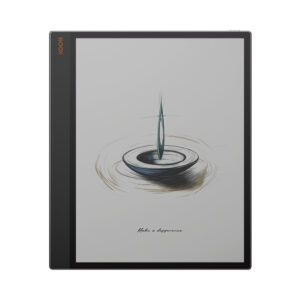
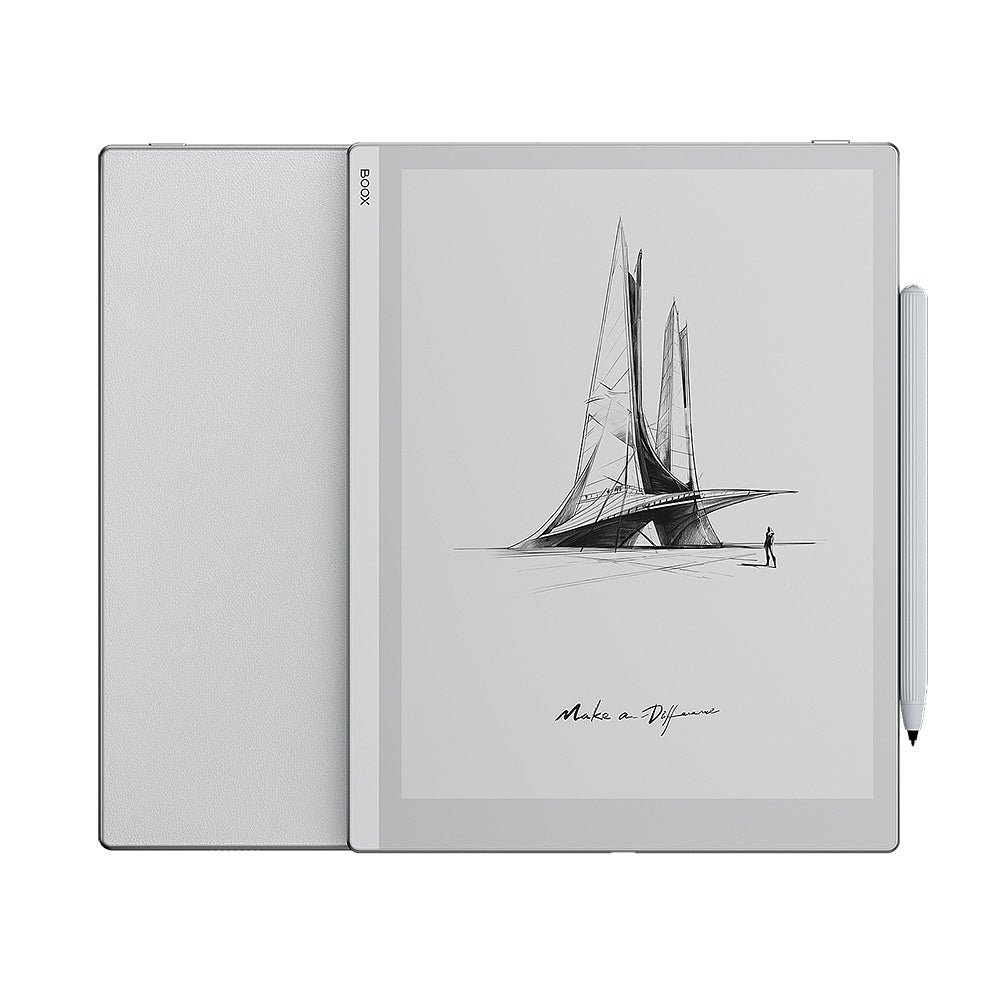
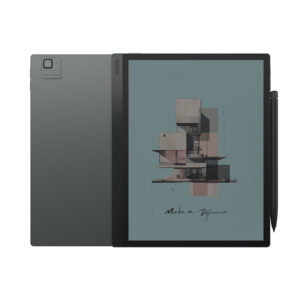
BOOX built the Go 10.3 around subtraction. There is no colour layer, no front light and no memory card slot – just a monochrome Carta 1200 panel behind flat glass, a pen in the box, and a body so thin it feels closer to a paper notepad than a tablet. The back even carries a leather finish patterned like a notebook strap, which tells you exactly what BOOX was aiming at.
That makes it the most direct Android answer to the reMarkable 2, which follows the same idea of an unlit writing slate. The difference is software. The Go 10.3 runs full Android with the Google Play Store, so Libby, OneNote, rival reading apps and a web browser sit alongside BOOX's own notes and reader apps. You can read your library from any store and send notes wherever you like.
The screen is the sharpest kind BOOX makes: black and white only, at a pixel density that renders small PDF type cleanly. Without a light-guide layer above it, the page looks clean in daylight and on a bright desk. Without a light, it also becomes unusable in the dark, which rules it out for a lot of bedtime reading.
It is worth knowing that BOOX has since released a second generation, including a Lumi version that adds the missing front light. The original remains on sale at a lower price, and for someone who writes and reads in good light it still covers the essentials. For someone who wants one device for both daytime work and evening reading, the newer lit model is the more honest fit.
Category strengths
Where the BOOX Go 10.3 trails the average
- No front light ?
- No adjustable warm light ?
- No color display ?
How this VS Score was computed
Score 38: each known spec is measured against the median of E Ink note e ink tablets (10 products, medians winsorised to the 10th–90th percentile), then weighted. 42% of the scoreable weight could be used; unknown values, features not applicable to this class and proxies (battery capacity where a rated life exists) add or remove nothing.
| Specification | This product | Cohort median | Score weight | Points moved |
|---|---|---|---|---|
| Front light | No | 70% of the class have it | 1 | −48.0 |
| Color display | No | 50% of the class have it | 0.7 | −33.6 |
| Adjustable warm light | No | 70% of the class have it | 0.7 | −33.6 |
| Screen size | 10.3 | 10.3 | 1.5 | +0.0 |
| Pixel density | 300 | 300 | 1.5 | +0.0 |
| Pen pressure levels | 4,096 | 4,096 | 0.7 | +0.0 |
| Android version | 12 | 12 | 0.5 | +0.0 |
| RAM | 4 | 4 | 1 | +0.0 |
| Internal storage | 64 | 64 | 0.7 | +0.0 |
| Battery capacity | 3,700 | 3,700 | 1.5 | +0.0 |
Not scored: Resolution (one resolution dimension is not a sharpness measure; pixel density is scored instead); Fast refresh modes (unknown: not scored); Stylus included (standard for the class (90% have it)); Pen latency (unknown: not scored); Palm rejection (unknown: not scored); Handwriting recognition (unknown: not scored); Pen eraser (unknown: not scored); App store (standard for the class (100% have it)); Cloud sync (standard for the class (100% have it)); Subscription required (unknown: not scored); Screen mirroring (unknown: not scored); Split-screen (unknown: not scored); Expandable storage (microSD) (unknown: not scored); Battery life (weeks) (unknown: not scored); Charge time (unknown: not scored); USB-C (standard for the class (100% have it)); Bluetooth (standard for the class (100% have it)); 5 GHz Wi-Fi support (standard for the class (100% have it)); Keyboard support (unknown: not scored); Speakers (standard for the class (100% have it)); Microphone (standard for the class (100% have it)); Rear camera (unknown: not scored); Biometric unlock (unknown: not scored); Weight (unknown: not scored); Thickness (unknown: not scored).
Editor’s note
The case for the Go 10.3 is that it does less than a Note Air and costs noticeably less, and for many note-takers that is the better deal. BOOX lists a 2.4 GHz octa-core processor with 4 GB of RAM and 64 GB of storage, and unlike the pricier Note line it does not claim BOOX Super Refresh, so scrolling-heavy Android apps will feel slower here than on a more expensive BOOX. For handwriting, PDF markup and reading, which are what this device is for, that barely matters.
What I would weigh most carefully is the lack of a front light. Unlit E Ink is lovely in daylight. It becomes a problem the moment you sit down in the evening. For notes at a desk or in meetings that never matters, but picture yourself reading in bed and it is the reason to walk away.
There are smaller compromises too. The storage is fixed, which is fine for notes and ebooks and tight for a library of scanned textbooks. And BOOX's own page is inconsistent about the physical figures – its headline claims differ from its specification tab for both thickness and weight – so we have left those rows empty rather than pick one.
Against the reMarkable 2, the Go 10.3 is the more flexible tool and the less focused one. reMarkable's distraction-free software suits people who want to be told how to work. The Go suits people who want their existing apps on paper-like glass. I would choose the Go for mixed reading and writing, and the reMarkable for writing alone. If evening reading matters at all, spend the extra on the Gen II Lumi instead of either.
Specifications
Quality bars are generated automatically against 9 other e ink tablets.
Display
Writing
Software
Performance
Battery
Connectivity
Design
Sources and verification
Where the specifications come from
- Official product pageshop.boox.com
Verification
- First published
- Specifications last checked
- Sheet completeness
- 25 of 41 specifications verified; the rest show as Unknown and are never estimated or scored
- Page type
- Product specification page — Compiled from the manufacturer’s published specifications and the cited sources; this is not a hands-on test.
- Basis
- Research-based: specifications and editorial text were compiled from the documents listed here and the manufacturer’s published data. We have not tested this unit ourselves; where independent measurements are mentioned they belong to the linked publication.
E Ink Tablets with similar specs to the BOOX Go 10.3

Ratings & reviews
No reviews yet. Be the first to share your experience.
The bottom line
The BOOX Go 10.3 earns a VS Score of 38, trailing most of the 10 e ink tablets we compare here, at least on the spec sheet.
- Who it’s for
- Someone who takes notes and reads PDFs at a desk or in daylight and wants open Android and a pen in the box without paying for a front light or colour.
- Who should look elsewhere
- Readers who want to use it in bed or on evening travel – there is no light at all – and anyone who needs a memory card for a large scanned library.
- The trade-off that matters
- The unlit panel keeps the page crisp and the price down, but it ties the device to good ambient light.
- The main alternative
- BOOX Go 10.3 (Gen II) Lumi, if you want the same thin monochrome slate with a front light for evening use.
The VS Score is calculated from the weighted specifications above, compared with every other e ink tablet we track — a shortlisting guide, not a substitute for your own priorities. See how we score.