Viwoods AiPaper: Specs, Features, Pros & Cons
Viwoods left the front light out of the AiPaper, and that one decision shapes who should consider it. The 10.65-inch Carta 1300 screen reads well in daylight or under a desk lamp and not at all in a dark bedroom. Supernote made the same call on its large writing tablet: one fewer layer between the pen tip and the ink, in exchange for a device you cannot use with the lights off.
The AiPaper is the largest of four Viwoods devices. The AiPaper Mini adds a light on a smaller screen, and the two AiPaper Reader models are pocket readers for books. Viwoods is a young Hong Kong brand, so buying one is a bet on a small company's software team as much as on the hardware.
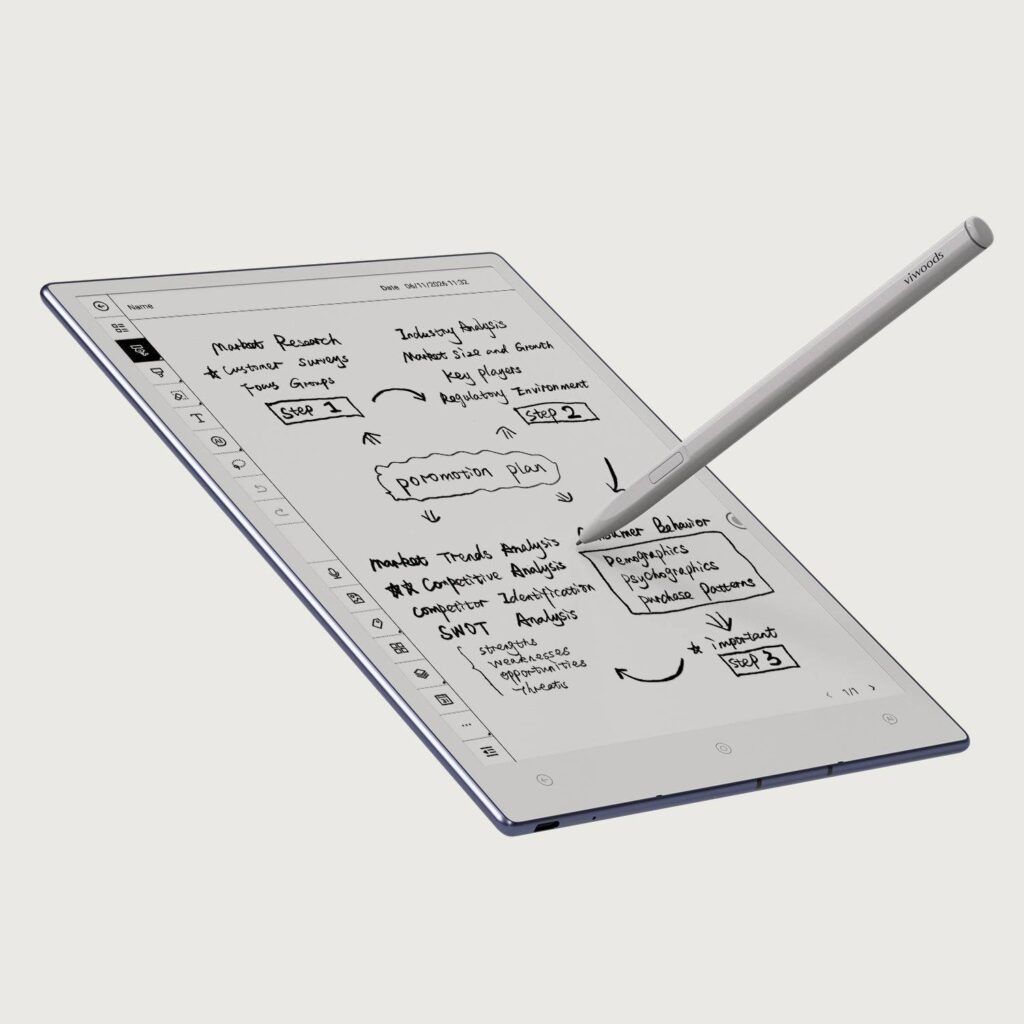
What separates it from the closed writing tablets is the software. It runs Android with the Google Play Store, so third-party reading apps and cloud drives such as OneDrive can sit next to Viwoods' own notebook, planner and meeting apps. A dedicated AI key below the screen opens an assistant that takes a spoken or typed request, and it can work from the current page, a text selection or a circled drawing.
The box includes the magnetic stylus and a folio case. Some rivals sell the pen separately, so the bundle closes much of the gap to cheaper tablets once their pen is added, and the AiPaper sits with the upper-middle e-ink note tablets on price.
Besides the light, it gives up clarity about the pen. Viwoods lists no pressure-level or latency figures on its own site, and its specification page there carries at least one typo, so the manual and the product description are the documents to trust.
Category strengths
Where the Viwoods AiPaper beats the median
- Much more storage ?128 GB vs 64 GB (median)
- A lighter build ?370 g vs 430 g (median)
- A slimmer body ?4.5 mm vs 5.8 mm (median)
- A slightly bigger screen ?10.65" (27.05 cm) vs 10.3" (26.16 cm) (median)
- A slightly higher android version ?13 vs 12 (median)
- Slightly higher resolution ?2,560 px vs 2,480 px (median)
Where the Viwoods AiPaper trails the median
- No front light ?
- No color display ?
- No adjustable warm light ?
- No expandable storage (microSD) ?
How this VS Score was computed
Score 44: each known spec is measured against the median of E Ink note e ink tablets (13 products), then weighted. 46% of the scoreable weight could be used. See how we score
| Specification | This product | Cohort median | Score weight | Points moved |
|---|---|---|---|---|
| Front light | No | 69% of the class have it | 1 | −48.0 |
| Internal storage | 128 | 64 | 0.7 | +35.0 |
| Color display | No | 54% of the class have it | 0.7 | −33.6 |
| Adjustable warm light | No | 69% of the class have it | 0.7 | −33.6 |
| Expandable storage (microSD) | No | 58% of the class have it | 0.5 | −24.0 |
| Weight | 370 | 430 | 1.5 | +12.0 |
| Biometric unlock | Yes | 75% of the class have it | 0.2 | +10.0 |
| Thickness | 4.5 — capped at the class’s lower range (4.6) | 5.8 | 0.7 | +9.1 |
| Pen eraser | Yes — held to half its range (fewer than six products in this class list it) | 67% of the class have it | 0.2 | +5.0 |
| Screen size | 10.65 | 10.3 | 1.5 | +3.0 |
| Android version | 13 | 12 | 0.5 | +2.0 |
| Pixel density | 300 | 300 | 1.5 | +0.0 |
| RAM | 4 | 4 | 1 | +0.0 |
Not scored: Resolution (one resolution dimension is not a sharpness measure; pixel density is scored instead); Fast refresh modes (standard for the class (100% have it)); Stylus included (standard for the class (92% have it)); Pen pressure levels (unknown: not scored); Pen latency (unknown: not scored); Palm rejection (unknown: not scored); Handwriting recognition (standard for the class (100% have it)); App store (standard for the class (100% have it)); Cloud sync (standard for the class (100% have it)); Subscription required (too few comparable peers (2, need 3)); Screen mirroring (too few comparable peers (1, need 3)); Split-screen (unknown: not scored); Battery capacity (capacity is a proxy; the rated battery life is scored instead); Battery life (weeks) (too few comparable peers (2, need 3)); Charge time (unknown: not scored); USB-C (unknown: not scored); Bluetooth (standard for the class (100% have it)); 5 GHz Wi-Fi support (standard for the class (100% have it)); Keyboard support (standard for the class (100% have it)); Speakers (unknown: not scored); Microphone (standard for the class (100% have it)); Rear camera (unknown: not scored).
Editor’s note
The missing front light is the first thing I would weigh. If most of your writing happens at a desk, in meetings or on a train in daylight, it costs you nothing. If you read in bed, this is the wrong tablet, and the AiPaper Mini, which has a light, is the Viwoods to look at instead.
The hardware is well judged for the size. At 4.5 mm and 370 g it is closer to a paper notebook in the hand than to a 10-inch Android slate, and a 300 PPI panel is as sharp as monochrome e-ink gets in this class. Battery life is the soft spot. Viwoods itself quotes about a week at two hours a day, which is modest for e-ink and reflects the Android system underneath. If you write every day, plan on a weekly charge.
The AI assistant leads Viwoods' marketing, and I would treat it as a bonus rather than a reason to buy. It runs on outside models (the manual names GPT-4o and DeepSeek), so it needs a connection and your page leaves the tablet when you use it. Viwoods says there is no fee for it. A small company can change that, and the AiPaper still has to earn its place as a notebook without it.
Android 13 is an older base by now. Play Store access keeps the door open for reading apps, but I would not count on major version upgrades from a maker this size.
Against the Supernote Manta, the choice is Viwoods' Android flexibility and bundled pen versus Supernote's quieter, closed system and longer record of updates. I would buy the AiPaper for PDF markup and meeting notes in good light, and pass on it for reading at night. The 60-day trial and 14-month warranty make the gamble on a young brand smaller.
Specifications
Display
Writing
Software
Performance
Battery
Connectivity
Design
Sources and verification
Where the specifications come from
- Official product pageviwoods.com
- Datasheet or manualcdn.shopify.com
Verification
- First published
- Specifications last checked
- Sheet completeness
- 31 of 41 specifications verified; the rest show as Unknown and are never estimated or scored
- Page type
- Product specification page — Compiled from the manufacturer’s published specifications and the cited sources; this is not a hands-on test.
- Basis
- Research-based: specifications and editorial text were compiled from the documents listed here and the manufacturer’s published data. We have not tested this unit ourselves; where independent measurements are mentioned they belong to the linked publication.
E Ink Tablets with similar specs to the Viwoods AiPaper
Ratings & reviews
No reviews yet. Be the first to share your experience.
The bottom line
The Viwoods AiPaper earns a VS Score of 44, below the median of the 13 E Ink note e ink tablets it is measured against (a score of 50 is level with that median).
- Who it’s for
- Someone who marks up PDFs, takes meeting notes and keeps a planner at a desk or in daylight, and wants Android apps next to the note software without buying the pen separately.
- Who should look elsewhere
- Anyone who reads in bed or in dim rooms, because there is no light of any kind. Look elsewhere too if a long software track record matters, since Viwoods is a young brand.
- The trade-off that matters
- Dropping the light keeps fewer layers over the ink, but it makes the AiPaper a daylight and desk-lamp device, which rules it out for many evening readers.
- The main alternative
- Supernote Manta, a large unlit writing tablet with a closed, distraction-free system, for people who want notes without Android or AI features.
This page was created with the help of AI. How we work