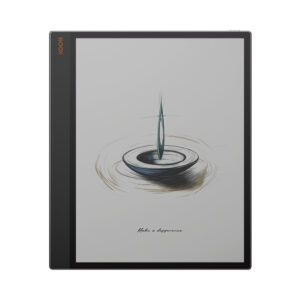
Supernote Manta: Specs, Features, Pros & Cons
Supernote sells the Manta without a front light, and that is not an oversight or a cost saving – it is the whole argument. Where nearly every e-ink device now ships with adjustable warm and cool LEDs, Supernote left them out to keep the screen stack thin and the writing surface close to the film. Read in bed and you will need a lamp. Sit at a desk and you get one of the least layered writing surfaces anyone is currently selling.
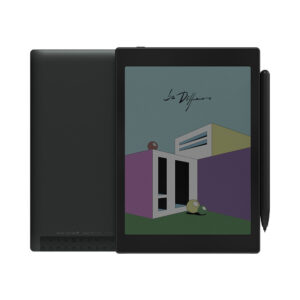
The rest of the design follows the same stubborn logic. The 10.7-inch flexible E Ink panel sits behind a self-recovery soft film with no hard glass, the body comes in at 375 g, and the battery and motherboard are both user-replaceable – Supernote publishes a teardown guide and ships a screwdriver in the box. That is an unusual position in a category where a dead cell normally ends the device's life.
What you give up is breadth. Chauvet, Supernote's writing-focused system, is a closed environment built for notes and documents. There is no app store to fall back on, so if a workflow is not covered by the built-in note, PDF and e-book tools or the desktop and mobile partner apps, it is not happening here. The pen is also sold separately, which catches people out at checkout.
This suits someone who already knows they want a writing device and intends to keep it for years – the reader who finds Supernote's repairability pitch persuasive. Anyone shopping for a do-everything e-ink tablet with sideloaded apps, a lit screen and a stylus in the box should look elsewhere, and will be happier for it. The Manta is narrow on purpose, and it only earns its keep when that narrowness happens to match what you do all day.
Category strengths
Where the Supernote Manta beats the average
- A lighter build ?375 g vs 435 g (avg)
- A slightly bigger screen ?10.7" (27.18 cm) vs 10.3" (26.16 cm) (avg)
- Slightly higher resolution ?2,560 px vs 2,480 px (avg)
Where the Supernote Manta trails the average
- No front light ?
- No stylus included ?
- No adjustable warm light ?
- No color display ?
- Much less storage ?32 GB vs 64 GB (avg)
- A slightly lower android version ?11 vs 12 (avg)
- A slightly smaller battery ?3,600 mAh vs 3,700 mAh (avg)
- A slightly thicker body ?6 mm vs 5.8 mm (avg)
How this VS Score was computed
Score 39: each known spec is measured against the median of E Ink note e ink tablets (10 products, medians winsorised to the 10th–90th percentile), then weighted. 57% of the scoreable weight could be used; unknown values, features not applicable to this class and proxies (battery capacity where a rated life exists) add or remove nothing.
| Specification | This product | Cohort median | Score weight | Points moved |
|---|---|---|---|---|
| Front light | No | 70% of the class have it | 1 | −48.0 |
| Stylus included | No | 90% of the class have it | 1 | −48.0 |
| Color display | No | 50% of the class have it | 0.7 | −33.6 |
| Adjustable warm light | No | 70% of the class have it | 0.7 | −33.6 |
| Expandable storage (microSD) | Yes | 71% of the class have it | 0.5 | +25.0 |
| Internal storage | 32 | 64 | 0.7 | −17.5 |
| Weight | 375 | 435 | 1.5 | +12.0 |
| Screen size | 10.7 | 10.3 | 1.5 | +3.0 |
| Android version | 11 | 12 | 0.5 | −2.0 |
| Battery capacity | 3,600 | 3,700 | 1.5 | −1.5 |
| Thickness | 6 | 5.8 | 0.7 | −1.4 |
| Pixel density | 300 | 300 | 1.5 | +0.0 |
| Pen pressure levels | 4,096 | 4,096 | 0.7 | +0.0 |
| RAM | 4 | 4 | 1 | +0.0 |
Not scored: Resolution (one resolution dimension is not a sharpness measure; pixel density is scored instead); Fast refresh modes (unknown: not scored); Pen latency (unknown: not scored); Palm rejection (too few comparable peers (1, need 3)); Handwriting recognition (standard for the class (100% have it)); Pen eraser (unknown: not scored); App store (unknown: not scored); Cloud sync (standard for the class (100% have it)); Subscription required (unknown: not scored); Screen mirroring (unknown: not scored); Split-screen (unknown: not scored); Battery life (weeks) (unknown: not scored); Charge time (unknown: not scored); USB-C (standard for the class (100% have it)); Bluetooth (standard for the class (100% have it)); 5 GHz Wi-Fi support (standard for the class (100% have it)); Keyboard support (standard for the class (100% have it)); Speakers (unknown: not scored); Microphone (unknown: not scored); Rear camera (unknown: not scored); Biometric unlock (unknown: not scored).
Editor’s note
The part that decides this device is not the panel or the processor, it is Chauvet. Supernote's system is unusually opinionated – linking between pages, keyword indexing, digests and a document structure that survives a few thousand pages, all built around handwriting rather than bolted onto Android 11 as an afterthought. If that matches how you think, nothing else in e-ink works the same way. If what you wanted was a tablet, it will feel like a locked room.
Storage is the quiet strength. 32 GB internally is modest for the money, but the microSD slot takes cards up to 2 TB, and paired with the replaceable battery and the upgradable motherboard it makes this a device you repair when something wears out. I think that is the most credible longevity claim in the category, mainly because Supernote documents the teardown and sells the parts instead of just putting the word sustainable in its marketing.
Where it quietly compromises: the USB-C port is 2.0 and Supernote states that it does not support fast charging, so topping up is an overnight job. The RK3566 is the same chip behind a lot of cheaper e-ink hardware, and while a writing system does not demand much, anyone planning to push dense technical PDFs through it should temper their expectations. Format coverage is broad on paper – PDF, EPUB, Word, CBZ and the rest – but broad support is not the same thing as quick support on this class of silicon.
Value is awkward to judge because the pen is extra, and Supernote's pens are not cheap, so budget for one before you set this against anything else. Measured against a reMarkable Paper Pro, the Manta gives up a lit colour screen and gets back repairability and far better note organisation.
Buy it if you are buying a notebook. Skip it if some part of you is hoping it doubles as a tablet. That hope is where the regret lives.
Specifications
Quality bars are generated automatically against 9 other e ink tablets.
Display
Writing
Software
Performance
Battery
Connectivity
Design
Sources and verification
Where the specifications come from
- Official product pagesupernote.com
Verification
- First published
- Specifications last checked
- Sheet completeness
- 26 of 41 specifications verified; the rest show as Unknown and are never estimated or scored
- Page type
- Product specification page — Compiled from the manufacturer’s published specifications and the cited sources; this is not a hands-on test.
- Basis
- Research-based: specifications and editorial text were compiled from the documents listed here and the manufacturer’s published data. We have not tested this unit ourselves; where independent measurements are mentioned they belong to the linked publication.
E Ink Tablets with similar specs to the Supernote Manta
Ratings & reviews
No reviews yet. Be the first to share your experience.
The bottom line
The Supernote Manta earns a VS Score of 39, trailing most of the 10 e ink tablets we compare here, at least on the spec sheet.
- Who it’s for
- Someone who wants a dedicated handwriting device with serious document organisation and expects to keep it for years, and who is fine buying the pen separately.
- Who should look elsewhere
- Anyone who wants a general-purpose Android tablet – there is no app store here, and if the built-in tools do not cover your workflow, nothing else will.
- The trade-off that matters
- Leaving the lighting out buys a thinner, closer writing surface, and costs you any use of the device at night without a lamp beside you.
- The main alternative
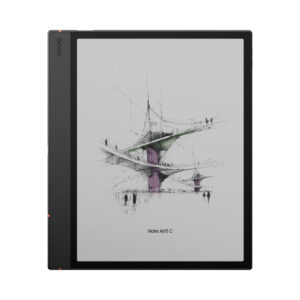
- BOOX Note Air5 C covers the opposite priorities – a lit colour screen and full Android app access on a similar-size panel – if you would rather have flexibility than repairability.
The VS Score is calculated from the weighted specifications above, compared with every other e ink tablet we track — a shortlisting guide, not a substitute for your own priorities. See how we score.