
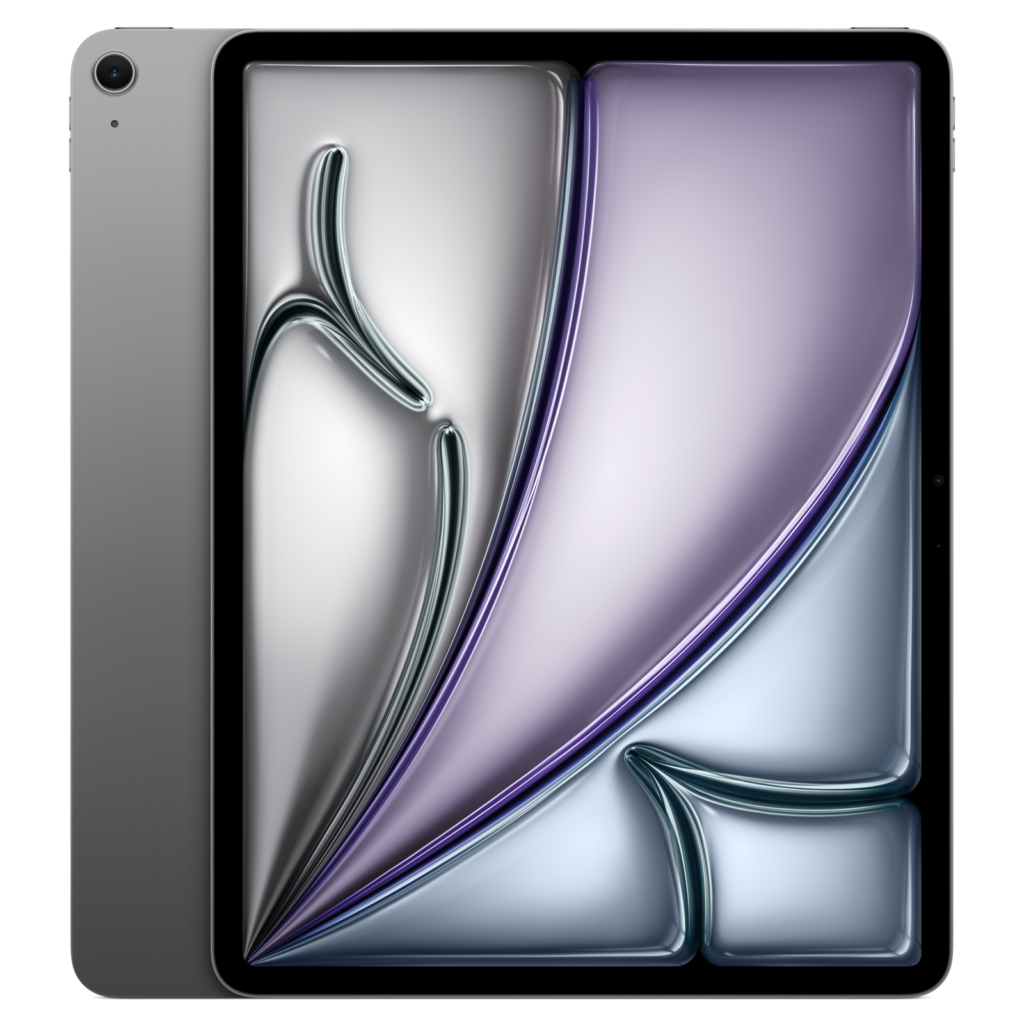
Apple iPad Air 13-inch (M4): Specs, Price, Pros & Cons
Apple's technical specification page for this tablet lists a workstation-class chip, a hardware ray-tracing engine and a media engine that encodes ProRes, then declines to mention a refresh rate anywhere on the page. That silence is the most informative thing on it. The larger Air runs an LED-backlit IPS panel at the ordinary rate, without the variable-refresh ProMotion Apple reserves for the Pro line, and no amount of silicon changes how the screen feels under a finger or a pencil.
What the size does change is brightness. This model is specified brighter than its smaller sibling, which is the one meaningful difference between the two beyond area. Pixel density, cameras, chip, memory and ports are identical. If you have been told the bigger Air is a different class of machine, it is not. It is the same machine with more glass.
For reading, that glass is both the appeal and the problem. A backlit LCD this large is a superb way through magazines, technical PDFs at full page size and anything where colour and layout carry meaning, and a worse way to read a novel at midnight than an electronic-paper device costing a fraction as much. Weight settles the argument as often as the display does. This is a two-handed tablet that wants a table or a lap.
The rest is the familiar Apple arrangement, and familiarity is much of the point. Touch ID lives in the top button, a Smart Connector carries the Magic Keyboard, Apple Pencil Pro is supported with hover, the enclosure is recycled aluminium, and cellular models take an eSIM only, with no tray to open.
Category strengths
Where the Apple iPad Air 13-inch (M4) beats the average
- A bigger screen ?13" (33.02 cm) vs 11" (27.94 cm) (avg)
- Higher resolution ?2,732 px vs 2,360 px (avg)
- Higher peak brightness ?600 nits vs 500 nits (avg)
- A slimmer body ?6.1 mm vs 7 mm (avg)
Where the Apple iPad Air 13-inch (M4) trails the average
- A heavier build ?616 g vs 477 g (avg)
How this VS Score was computed
Score 50: each known spec is measured against the median of all tablets (3 products, medians winsorised to the 10th–90th percentile), then weighted. 34% of the scoreable weight could be used; unknown values, features not applicable to this class and proxies (battery capacity where a rated life exists) add or remove nothing.
| Specification | This product | Cohort median | Score weight | Points moved |
|---|---|---|---|---|
| Expandable storage (microSD) | No | 33% of the class have it | 0.5 | −24.0 |
| Wi-Fi standard | Wi-Fi 7 | Wi-Fi 6 | 0.5 | +16.5 |
| Thickness | 6.1 | 7 | 1 | +7.0 |
| Weight | 616 | 477 | 2 | +0.0 |
| Screen size | 13 | 11 | 1.5 | +0.0 |
| Peak brightness | 600 | 500 | 1 | +0.0 |
| Internal storage | 128 | 128 | 1.5 | +0.0 |
| Rear camera | 12 | 12 | 1 | +0.0 |
| Front camera | 12 | 12 | 1 | +0.0 |
Not scored: Biometric unlock (standard for the class (100% have it)); Resolution (one resolution dimension is not a sharpness measure; pixel density is scored instead); Pixel density (too few comparable peers (2, need 3)); Refresh rate (unknown: not scored); OLED display (not applicable: only 0% of this class have it); Laminated display (too few comparable peers (1, need 3)); RAM (too few comparable peers (2, need 3)); AnTuTu benchmark (unknown: not scored); Battery capacity (unknown: not scored); Battery life (too few comparable peers (2, need 3)); Wired charging (unknown: not scored); USB-C (standard for the class (100% have it)); Records 4K video (too few comparable peers (2, need 3)); Stylus support (standard for the class (100% have it)); Keyboard support (too few comparable peers (2, need 3)); 5G support (too few comparable peers (2, need 3)); Stereo speakers (standard for the class (100% have it)); Accelerometer (standard for the class (100% have it)); Gyroscope (too few comparable peers (2, need 3)); Compass (too few comparable peers (2, need 3)).
Editor’s note
This is the hardest iPad in the range to place, and the size is why. The chip inside will run anything iPadOS can install, and almost nothing iPadOS can install needs it. Buy it for multi-track video or heavy illustration work and the M4 earns its keep. Buy it to read, browse and take notes, which is what most people at this screen size do, and you have paid for a great deal of headroom you will never reach.
The display is where I would push back on Apple. At this money the absence of ProMotion is a real omission, and it shows most in precisely the tasks a big screen invites: scrolling long documents and drawing with the Pencil. The panel is fully laminated, bright and colour-accurate, and it is still a standard-refresh LCD sitting beside an OLED Pro model that costs more and feels quicker on every swipe. That is a defensible trade at the price, but it is a trade, and nobody should discover it after the fact.
Practical things that matter more than any benchmark: 128GB is thin for anyone who edits video, the base configuration is Wi-Fi only, and the Magic Keyboard is a substantial extra that turns a light tablet into something as heavy as a small laptop. Apple quotes ten hours of web browsing, which reads as realistic rather than generous for a screen this size.
Owners of the smaller Air have no reason to move. Choosing between the two comes down to how you hold it: at a desk, take the larger one, and on a train or in bed, do not. And if the honest answer is that you mainly want to read, an e-reader will serve you better and cost far less.
Specifications
Quality bars are generated automatically against 2 other tablets.
Design
Display
Performance
Battery
Cameras
Productivity & connectivity
Sensors
Sources and verification
Where the specifications come from
- Official product pageapple.com
- Specification database (cross-check)gsmarena.com
Verification
- First published
- Specifications last checked
- Sheet completeness
- 38 of 47 specifications verified; the rest show as Unknown and are never estimated or scored
- Page type
- Product specification page — Compiled from the manufacturer’s published specifications and the cited sources; this is not a hands-on test.
- Basis
- Research-based: specifications and editorial text were compiled from the documents listed here and the manufacturer’s published data. We have not tested this unit ourselves; where independent measurements are mentioned they belong to the linked publication.
Where to buy
Prices and availability may change. Check the retailer before buying. We may earn a commission on purchases.
Price history
Tablets with similar specs to the Apple iPad Air 13-inch (M4)
Ratings & reviews
No reviews yet. Be the first to share your experience.
The bottom line
The Apple iPad Air 13-inch (M4) earns a VS Score of 50 on the 34% of specifications we could compare like for like — an indication, not a ranking.
- Who it’s for
- Someone who wants a large, bright tablet for full-page PDFs, illustration and light desk work, and who values a long software-support life over the last word in screen quality.
- Who should look elsewhere
- Readers. If your main use is books at night this is a heavy backlit slab, and an e-reader will treat your eyes and your wallet better. Skip it too if you want the smoothest drawing surface Apple makes – that is the Pro.
- The trade-off that matters
- You get more processor than the software can use and less display than the price implies. Apple has spent the budget on silicon rather than on the panel, and for a tablet you mostly look at, that is the wrong way round.
- The main alternative
- Apple iPad Air 11-inch (M4) – the same internals in a lighter, cheaper body. Unless you specifically need the page area, it is the more sensible purchase.
The VS Score is calculated from the weighted specifications above, compared with every other tablet we track — a shortlisting guide, not a substitute for your own priorities. See how we score.