Which parts of the new CrossPoint firmware will your Xteink reader get? Version 1.6.5, released on September 27, 2026, gives every supported model a proper library with sorting and search. TrueType fonts and the new cover-grid home screen only run on readers with external memory, which rules out the X3 and the original X4. The X4 Classic is now officially supported, with its own build. CrossPoint is free, open-source software that replaces the reading app on these small ESP32-based readers, and it updates over Wi-Fi.
A real library at last
Until now, the Recent Books screen showed what you had opened lately and little else. In 1.6.5 it browses everything on the SD card and sorts by date added, title or author, with a search box. On a reader that keeps its books on a microSD card rather than in a cloud account, that changes how you find anything past the last dozen titles.
The library builds an index the first time you open it. If you add books later or fix their metadata in Calibre, run Rebuild library index (in Settings, under System) to pick up the changes.
Word and character spacing now join line spacing among the reading controls, and footnote references are highlighted on the page. Bookmarks can be renamed, and so can files in the file browser. The home screen shows the clock, and you now choose a time zone by city, with daylight saving handled automatically.
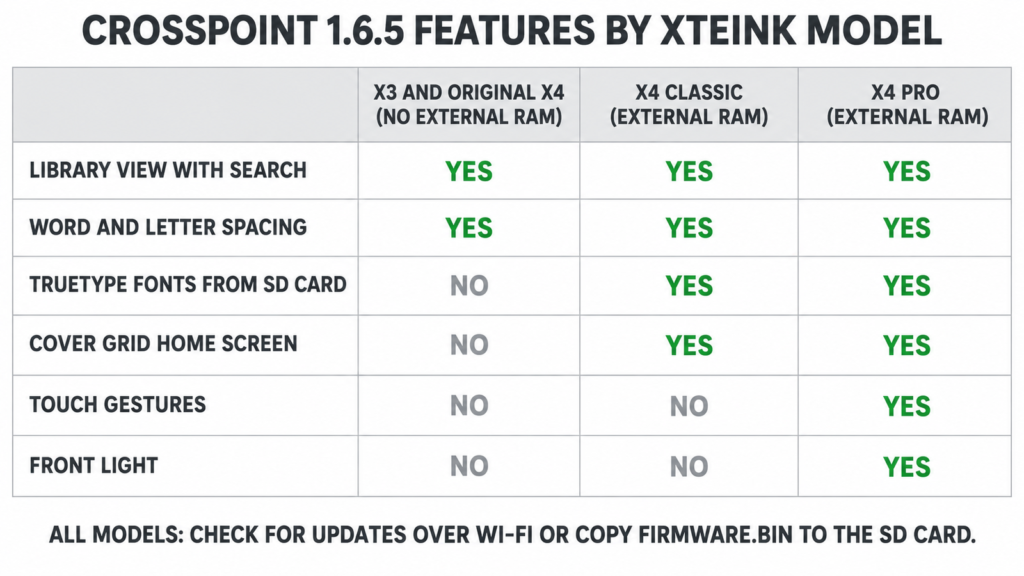
Which model gets what
| Feature in 1.6.5 | X3 and original X4 | X4 Classic | X4 Pro |
|---|---|---|---|
| Library view with search | Yes | Yes | Yes |
| Word and character spacing | Yes | Yes | Yes |
| TrueType fonts straight from the SD card | No | Yes | Yes |
| Cover Grid home screen | No | Yes | Yes |
| Touch gestures for page turns | No | No | Yes |
| Front light | No | No | Yes |
CrossPoint’s release notes limit direct TrueType loading to devices with external RAM: the X4 Pro, the X4 Classic, Seeed’s reTerminal Sticky and M5Stack’s PaperMono. Older models still take fonts in CrossPoint’s .cpfont format, and the project’s Font Builder does the conversion for you. So an X3 owner still chooses their fonts, with one conversion step added.
The release notes leave the cover grid off the X3 and the original X4. Touch gestures need a touchscreen, and among Xteink’s readers only the X4 Pro has one.
Reading in the dark on an X3 or X4 Classic
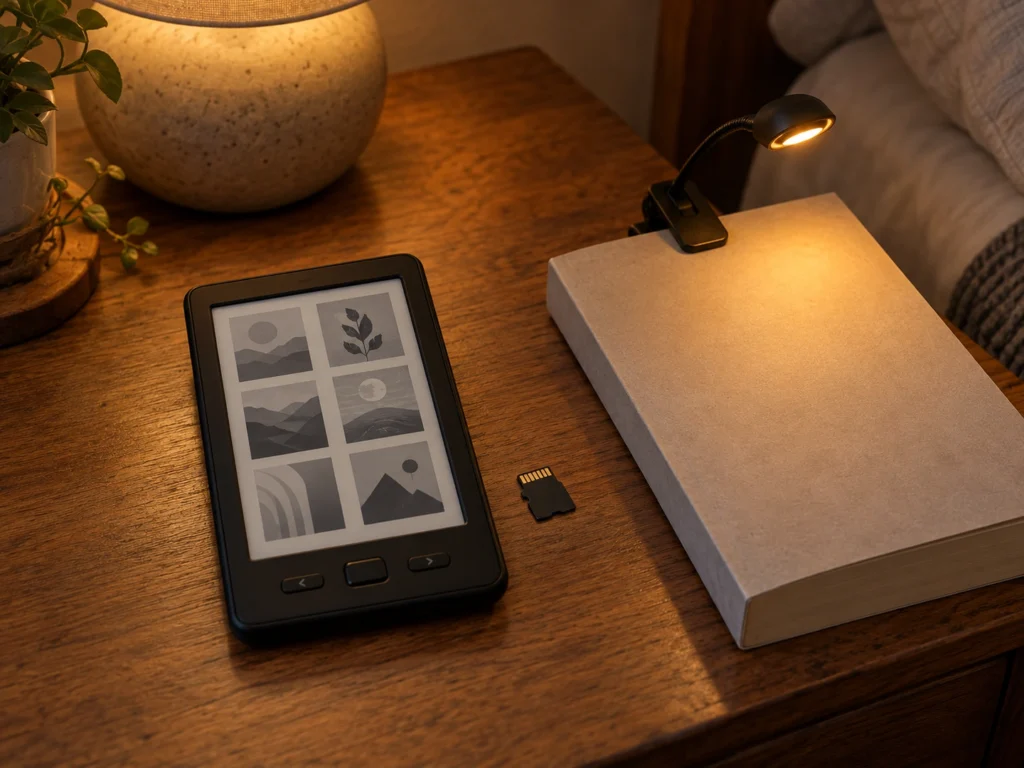
A front light is hardware, and no firmware update adds one. CrossPoint’s device list shows a warm and cool light on the X4 Pro and on BOOX’s Picco, and none on the X3 or the X4 Classic. Owners of those two read by room light, or with a small clip-on such as the Glocusent pocket-sized clip-on reading light. It weighs 40 g and has an 1800 K amber mode for reading beside someone asleep.
The X4 Classic is the pogo-pin model whose missing USB-C port caused the backlash that made Xteink promise USB-C back. Version 1.6.5 is the first CrossPoint release with an official build for it. GitHub counted 691 downloads of that build by October 1. The X4 Pro build and the combined X3 and X4 file had more than 4,000 each.
Your KOReader sync account may not carry over
CrossPoint can sync reading positions with KOReader on a phone, a Kobo or another reader, and 1.6.5 sends more precise EPUB positions than before. The setup guide explains that the default sync server is CrossPoint’s own, and accounts are separate on each server. An account you made on the older public KOReader server doesn’t exist on CrossPoint’s. You’ll need to register again, or switch the reader back to the legacy server in the sync settings.
The same guide warns that on some setups the password is sent as an unsalted hash over plain HTTP. Pick a password you don’t use anywhere else.
Why to update now
The release also makes the web page you use to send books over Wi-Fi safer. When you open File Transfer, the reader runs a small web server on your network or on its own hotspot. Version 1.6.5 fixes how that page handles file names and folder paths. CrossPoint hasn’t published a severity rating for the old behavior. If you send books over shared Wi-Fi at work or in a dorm, the fix alone is reason to update before your next transfer.
On the reader, open Settings, then System, and choose Check for updates to download it over Wi-Fi. Without a network, putting your model’s build on the SD card as a file named firmware.bin does the same job. Pick the file named for your model, because the X4 Classic and X4 Pro builds are separate from the combined X3 and X4 file.