Kobo has replaced the system that keeps your place in a book in step across devices. The work landed on Kobo’s servers rather than in a firmware release, and chief executive Michael Tamblyn described it publicly on 10 September 2026. Nothing happens on its own, which most coverage skips. The Kobo sync fix only reaches your account after you trigger it yourself, once on every device you read on.
What Kobo changed, and on what date
Tamblyn posted a thread describing the change late on 10 September 2026, and he answered follow-up questions the next morning. He wrote that Kobo “rebuilt the entire bookmarking and progress syncing system from the ground up.” He also said the old system dated back to the company’s earliest e-readers, and that it sat in a corner of the code base nobody wanted to touch.
That second detail explains the long wait. Sync bugs survive for years when the code that causes them is risky to change. Kobo did not ship a version number alongside this work, and no release notes accompany it. The announcement came from the chief executive’s own social account, with no formal press release, so treat the technical descriptions below as his summary.
Who this affects
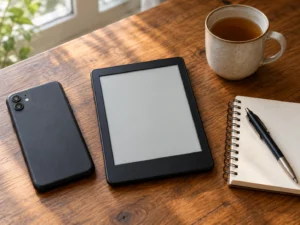
The change matters to a narrow group, and Tamblyn said so. You need at least two things signed in to the same Kobo account. That means an e-reader plus a phone or tablet app, or two e-readers. If you read on one device and one device only, the old system never had a conflict to resolve, so you saw no problem and you will notice no difference now.
Everyone else knows the symptom well. You read forty pages on your phone during a commute. Then you pick up the e-reader that evening and land back where you were two days ago. The reverse happened too, with the app ignoring progress made on the e-reader.
The exact steps on an e-reader
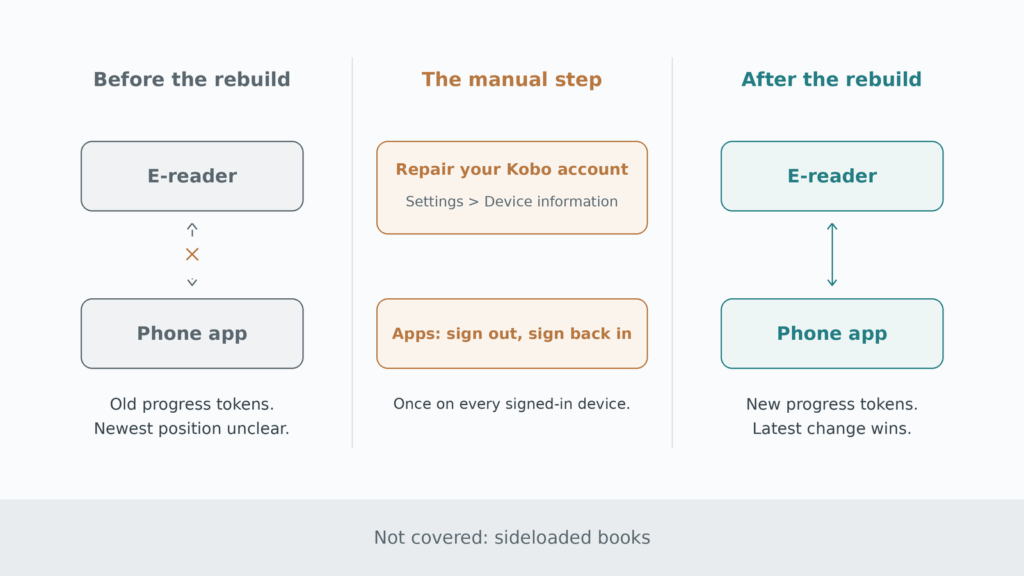
Kobo already had a tool for this, buried where few people look. On a Kobo e-reader, go to your Home screen, tap the More icon at the bottom, then Settings, then Device information. Beside “Repair your Kobo account,” tap Repair, then Repair now.
You need a Wi-Fi connection first. Kobo warns that the process can take a while on a large library, because the device re-downloads missing books and covers as part of the repair. Signing out of your account and signing back in achieves the same result, but Tamblyn said the Repair option is usually quicker.
The steps in the apps
The apps have no Repair button in the same place, so the route is simpler. Sign out of your Kobo account, then sign back in. Do this in the phone app, the tablet app and Kobo Desktop, wherever you are signed in.
One rule covers every device. You do it once per device, and after that the account stays on the new system. Skipping a device leaves that device on the old behaviour, which defeats the point, because sync only works when both ends agree.
Why a manual step exists at all
Tamblyn explained the reason directly. Signing out or repairing “lets us reload and rebuild your library with all new progress tokens.” A progress token is the record Kobo uses to represent where you are in a book. The old tokens carry the old format, so the server cannot reinterpret them.
He described the new system as “a thoroughly modern way of figuring out which change to a book’s progress is most recent.” That is the hard part of any sync design. Two devices both claim a position, and the server has to decide which claim is newer and which should win. Kobo has not published the technical design behind the new approach, so the precise conflict rules remain unconfirmed.
Sideloaded books stay outside the fix
This is the limitation buyers should note before they get their hopes up. A reader asked Tamblyn directly about sideloaded files. His answer was short. The fix does not cover them, and he added that a person can dream.
So EPUB files you copied over by USB, books from Standard Ebooks, and anything you did not get through Kobo will still not share reading positions between devices. That gap is old, and it survives a rebuild that fixed everything around it. An open reader such as the Kobo Libra Colour makes side-loading a drag-and-drop job, and that convenience is exactly what the sync layer still ignores.
Highlights, notes and purchases during a repair
Kobo’s own help page describes account repair as a way to recover missing books and covers. It does not document what happens to highlights, notes or bookmarks during a repair. Whether annotations survive untouched is not known, because Kobo has not published that detail. Readers with heavy annotation habits may prefer to check a single book’s notes after the first repair, before running it on every device.
Two further points are worth stating clearly. A firmware update will not deliver this change, because the work sits on the server side. And the repair does not remove purchases, since anything tied to your account downloads again.
What to do if positions still disagree
Start by confirming that every signed-in device has been repaired or signed out and back in. A single forgotten tablet explains most remaining complaints. Next, open the book on each device and let it finish syncing before you close the app, because a position that never uploads cannot arrive anywhere else.
If a specific title still misbehaves after that, check whether it is a sideloaded copy. That single question resolves the majority of cases, because sideloaded files sit outside the fix.
Is it worth doing now?
Yes, if you read across devices. The cost is a few minutes and one Wi-Fi session per device, and the benefit is the end of a long-running annoyance. If you read on one e-reader alone, you can skip it entirely and lose nothing.