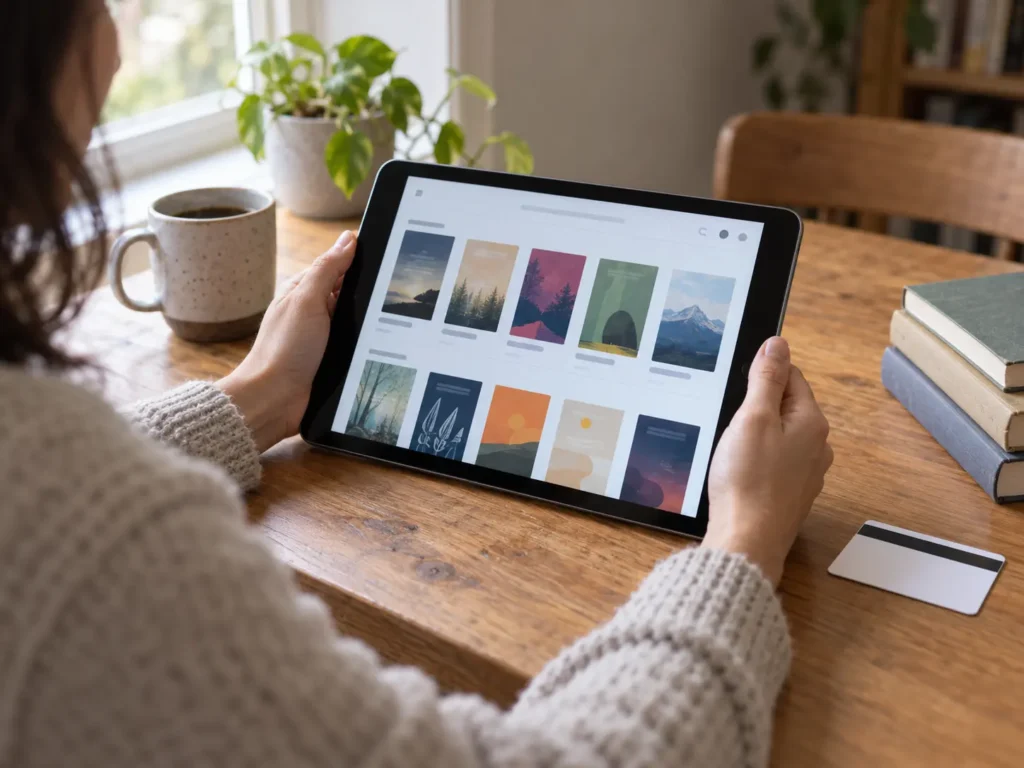
OverDrive has reworked how Libby handles borrowing between library systems. On September 2, 2026, the company published a summary of the change, and the practical effect is that Libby partner libraries now work with far less setup. You no longer go looking for a partner library, and you no longer add a second card by hand. Libby checks partner collections during an ordinary search, then switches on access the moment you borrow or place a hold.
How a lending partnership works
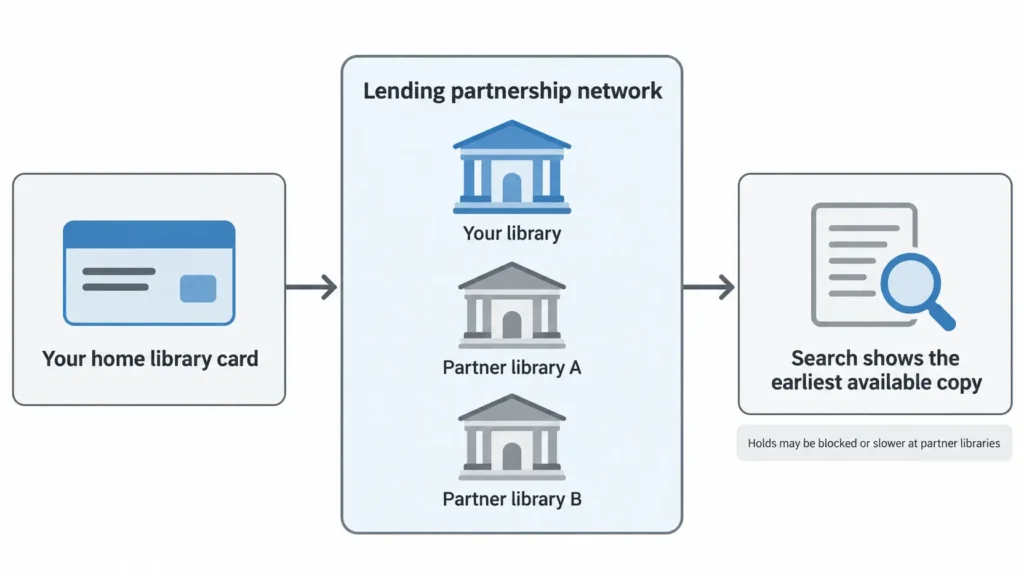
“Lending partnership” is OverDrive’s term for two older ideas. One is the reciprocal lending agreement, where neighbouring library systems agree to serve each other’s members. The other is the digital interlibrary loan. Libraries inside such a network let each other’s patrons borrow with their home card, so one card can reach several collections.
The comparison OverDrive uses is the physical interlibrary loan. You ask your own library for a book it does not hold, and a partner supplies it. Libby applies that idea to ebooks and audiobooks, without the waiting and without the counter.
Two things follow. First, the library decides, not the reader. Partnerships are optional arrangements between library systems, so you cannot opt in on your own. Second, coverage varies by region, because these networks form where libraries already cooperate.
What changed and when
Before the update, using a partner library meant work. You had to learn that a partnership existed, find the partner inside Libby, then add its card yourself. OverDrive removed all three steps.
Access now switches on automatically. When you borrow a title or place a hold at a partner library, Libby enables that connection behind the scenes. No card number, no second login, no separate account.
Eligible readers also see a “What’s New” message inside the app explaining the change. Libby Life, OverDrive’s reader-facing blog, described the same partner-library behaviour on August 18, 2026, so the rollout ran across late August and early September.
How search behaves now
Search is where most people will feel the difference. Libby checks availability for every result across your saved libraries and your partner libraries, then points you at the copy you can read soonest.
One ranking rule is worth understanding. Libby gives priority to the library where you hold a full card, so your home collection comes first when copies are equally available. Only when a partner holds the better copy does the app steer you there.
Manual control survives. The library card icon still lets you compare a title across every library you can reach, so you can ignore the suggestion and borrow where you prefer.
Where partner libraries appear
The Libby Menu now carries a dedicated Partner Libraries list. Your own system sits above it, labelled as your library, and each partner shows its own card art so you can tell the collections apart quickly.
The limits worth knowing
Automatic access does not mean identical access. OverDrive’s help documentation is explicit about two restrictions, and both depend on the individual partnership.
Some partnerships block holds. You may be able to borrow an available copy at a partner library and still find yourself unable to join its wait list.
Others slow holds down. Where a partner does accept holds from visiting readers, you may climb its wait list more slowly than that library’s own members. The ordering is deliberate, because a system’s own patrons keep priority on their own copies.
Neither rule is published per library inside the app, so the reliable answer comes from your library. Ask which partnerships it has joined and whether holds travel across them.
Why some readers will see nothing
If your library has not joined a network, nothing on your screen changes. The Partner Libraries list will not appear, and search results will keep coming only from the libraries you added yourself.
OverDrive also listed work on search, on library and card management, and on the Reading Journey, but it did not describe those changes in detail. It gave no app version numbers and no rollout schedule either, so there is no way to tell when any individual account receives the update.
Where you actually read the file
Libby runs as an app on phones and tablets, plus a browser version, and the borrowed file opens inside it. Screen size therefore decides how well certain borrowings read.
Novels are indifferent to hardware. Magazines, cookbooks, comics and technical PDFs are not, because they carry fixed layouts that shrink badly. On a large screen such as the 13-inch iPad Air, a magazine page renders close to printed size and stays readable without pinching. On a phone, the same file turns into a zooming exercise.
Kobo’s built-in borrowing is a different path
Coverage of this update tends to blur one point. OverDrive described changes to the Libby app, and Kobo e-readers do not run that app at all. They carry a built-in OverDrive integration instead, reached from the reader itself.
The two systems share a back end, yet they are separate front ends with separate feature sets. OverDrive’s announcement does not say whether the Partner Libraries list or the new automatic access reach Kobo’s built-in integration.
What to do next
Open the Libby Menu and look for a Partner Libraries entry. If it is there, search for a popular title and read the availability line carefully, because the suggested copy may now come from a system you never added.
Then ask your library two questions. Which partners does it lend with, and can you place holds at them? Those answers decide whether this update saves you weeks of waiting or changes nothing about your borrowing.